Saturday, December 28, 2019


Photography for Beginners: A Complete Guide


Related course: Photography for Beginners
Cameras are complicated. I was frustrated with my first DSLR. I just couldn’t capture what I saw through my viewfinder. It took a ton of trial and error.
When I managed to work it all out, I started taking some pretty spectacular images. In this post, I will share with you everything that I’ve learned from my mistakes.
A black and white photo of four beginners photographers holding DSLR cameras

Infographic

As beginner photographers, we tend to be visual learners. And it’s my job to make beginning photography as easy as possible for you.
So I thought to myself, “What better way to help beginner photographers learn how to use their cameras, than by creating an infographic?” And that’s exactly what I did.
I collaborated with an illustrator friend of mine, and together we made these images. The following are something that will make understanding exposure, and how cameras work, a whole lot easier!
Check out what we came up with below:
An infographic showing the basic functions of a camera - beginners guide to photography
Let’s dive into more depth…

Exposure

For those beginning photography, exposure is key to capturing a great image.
Learning how exposure works will help you to take control of your camera and take better photos. Aperture, shutter speed, ISO are the elements that combine to create an exposure.
As you’ll soon learn, these elements have an effect on more than just the exposure. They also cause alterations in depth of field, motion blur, and digital noise.
Once you understand how each one works, you can start diving into manual mode. This is where you take control back from your camera.
The exposure triangle is a great way to remember the three settings. When combined, they control the amount of light captured from any given scene.
This will help you to understand that changing one setting will necessitate a change in the others. That is if you are photographing the same scene with the same exact lighting conditions.
Read here for all the information you need on the exposure triangle.
Diagram explaining the exposure triangle - iso, shutter speed and aperture

Aperture

Exposure happens in three steps. We will start with the aperture. This is the hole inside the lens, through which the light passes.
It’s similar to the pupil of your eye: the wider the aperture, the more light is allowed in and vice versa. Simple? Not quite.
As the aperture widens, the f/number gets lower and more light is allowed into the camera. This is great for low light but be aware that it’s going to make the depth of field very shallow – not ideal when taking landscapes.
So there’s a bit of give and take and I go into full detail about that in this post. The aperture is the preferred setting to set first, as it directly influences how much of your scene is in focus. But, if you are looking to create motion blur, then it is second to the shutter speed.
Exposure will be much easier if you can memorize the f/stop scale.
The scale is as follows: f/1.4, f/2, f/2.8, f/4, f/5.6, f/8, f/11, f/16, f/22.
Digram showing the the f/stop scale for better understanding of photography for beginners

Shutter Speed

Once the light has passed through the aperture of the lens, it reaches the shutter. Now you need to decide how much of that light you’re going to allow into the camera.
Ordinarily, you only want a very small fraction of a second (for example 1/250) to prevent motion blur. However, different shutter speeds complement different situations.
Anything from really fast (1/4000) for sports photography to really slow (30 seconds) for night photography. It all depends on what you’re shooting and how much light you have available to you.
Knowing how your shutter speed works is a key element in the basics of photography.
A conceptual portrait of a girl in her bedroom surrounded by flying books -

ISO

Once the light has passed through the aperture and been filtered by the shutter speed, it reaches the sensor. This is where we decide how to set the ISO.
As you turn the ISO number up, you increase the exposure. But, at the same time, the image quality decreases. There will be more digital noise or “grain”.
So you have to decide upon your priorities in terms of exposure vs grain.
For example, I would reduce the image quality if it meant that I could prevent motion blur in my photo. There’s no possible way to fix that in post-production (yet, at least).
Aa atmospheric shot of an underground tunnel - digital photography for beginners

Exposure Summary

Once you’ve understood aperture, shutter speed and ISO, you need to learn how each of these elements of exposure work together.
For all those basics of photography, exposure is the most important.
If you don’t have this down, composition and framing become a moot point in beginner photography.
In this post, you will learn about the ‘stop’ based system for measuring exposure. But, more importantly, how to prioritize the aperture, shutter speed, and ISO for the best photo.
Every time.
The corridor of an abandoned building taken during an urban exploration photography trip

Understanding Your Camera

Metering Modes

Digital photography for beginners can be confusing. Exposure isn’t as simple as learning about aperture, shutter speed, and ISO. You also have to learn about how your camera looks at light.
Metering modes are there to tell your camera how you want it to look at a scene.
The photo below was taken on spot metering mode but, if you were to take the same photo using evaluative mode, you would end up with a completely different exposure.
This is also covered in my free video training. If you’re looking for an article that explains digital, including Canon, metering modes, here it is.
Understanding this basic photography point may just be the key to understanding why your photos are coming out underexposed or overexposed.
A pristine winter landscape scene - dslr photography for beginners

Histograms

The histogram shows you a mathematical review of an exposure after the photo has been taken. It essentially tells you how evenly exposed a photo is.
LCD screens aren’t very good at showing you this information through their display of the image. This is because they are affected by the ambient lighting conditions you’re in and the brightness of the screen itself.
That’s why the histogram is such a powerful tool to utilize in beginning photography correctly.
Screenshot of a photography histogram

Shooting Modes

Full-Auto, Program, Aperture Priority, Shutter Speed Priority or Manual Mode. How do you work out which one you should be using?
There’s also a lot of misconceptions about which mode to use under which conditions. On top of a lot of bias towards not using manual mode.
When you understand what exactly each mode does, the one that will be suitable for your situation becomes a lot clearer. This is also covered in my free video training.
Portrait of a man onstage during a performance, atmospheric purple light behind -understanding shooting modes for photography beginners

Depth of Field

When you’re shooting in low light, you invariably have to widen your aperture to allow enough light into the lens. But this has one rather a major side effect. A shallow depth of field.
This can be used very creatively (often to excess) but it’s not the only possibility. There are many situations, such as landscapes, where you’ll want to be using a narrower aperture so that the whole scene remains in focus.
This tutorial walks you through everything you need to know about choosing the right aperture (and therefore the depth of field) for the right situation.
When it comes to covering all of the basics of photography, depth of field is very important.
A person holding a dslr camera to take a street photo - beginner photography tips

White Balance

White balance is something I wish I’d learned more about much sooner than I did. I look back on some photos now and wonder what I was thinking.
The white balance changes the color cast of the entire photo. It is responsible for the overall warmth. It can determine whether your photo appears blue or orange, cold or warm.
Auto white balance doesn’t tend to do a particularly good job, particularly with tungsten light. The sooner you learn about this basic photography idea, the more accurate your photos will look.
This is also covered in my free video training.
Bright and colourful outdoor travel photography portrait, demonstrating use of contrasting colors for photography beginners

Focal Length

Have you ever wondered what the ‘mm’ on your lens actually means? Or why people use longer focal lengths for portraits?
It’s all discussed in this tutorial. The focal length affects more than just the ‘zoom’. It also influences the perspective.
I cover which focal length you would want to use in different situations. As well as their possible side effects.
It’s a really worthy read and one of my favorite tutorials to date.
A diagram explaining how focal length works

Crop Factor

A lot of you may not realize but, unless you spend about $2000 on your camera, you’re more than likely to be shooting on a crop sensor.
This means that your sensor is much smaller than professional SLR cameras, essentially cropping your image. The crop factor has a range of effects on your photos.
It creates a narrower viewing angle and will influence your lens purchases in the future. For those beginner photographers, research what lenses will help your field of photography first.
A diagram showing how the crop factor works

Polarizing Filters

Polarizing filters only allow light into the lens from a certain direction. This results in the removal of glare and reflections from non-metallic objects.
Water and glass are the most affected, as well as haze from the sky. Cutting out these reflections and anomalies will make for more naturally saturated colors.
Not only does this look great but it cannot be replicated in post-production, hence it’s so important to understand.
A black and White street photo of people walking in the rain, one umbrella is spot colored red

How to Take Professionally Sharp Images

For beginning photography, I will walk you through the 10 step process of taking professionally sharp photos.
It covers everything from choosing the right aperture and shutter speed to shooting in RAW.
It’s pretty easy to make just a few small mistakes which will result in less sharp images. That’s why we cover all ten, in order of importance.
Black and white abstract architectural photo - great tips for photography for beginners

The Nifty Fifty

What can I say about the nifty fifty? What’s not to love?
For those of you who are beginner photographers, when I talk about the nifty fifty, I’m referring to the 50mm f/1.8 prime lens. This can be picked up very cheap for most digital SLRs.
It’s a great introduction to buying better quality lenses and an excellent way of getting to grips with aperture.
The article linked is a review and guide. I wrote it because I recommend this lens as the first upgrade for every beginner photographer to make.
It’s easy to use and, for the price, will yield some excellent results.
Dreamy close up of meadow flowers - photography basics

Composition

It’s important to understand exposure. But, if you can’t get to grips with basic composition, you’ll struggle to take really good photos.
I’m not saying that you have to follow every compositional rule. But it helps to learn these rules so they can help guide you in taking better photos.
A shot of a domed ceiling to show composition - photography basics

Rule of Thirds

This is probably the first compositional rule that any beginner photographer comes across. And that’s for a very good reason: it’s simple and it works.
The basic premise is that you divide your camera’s frame into thirds. By planting key objects on these lines, the composition of the image works better.
This is a tool that consistently works, but it is easy to overuse it. If you’ve not learned much about photography yet, it’s a great way of dramatically improving your photos.
It will help to make them more interesting.
A bright and airy photo of a child playing in a tower against a blue sky, demonstrating the rule of thirds in beginner photographer

Visual Weight

Visual weight differs in size or weight as we know it. It’s all about what we’re drawn to when we look at a photo.
When you understand visual weight, you’ll start to understand how people look at photos and how you can position certain elements in a frame to direct the viewer’s attention to where you want them to look.
It’s not so much a tool or a rule, but an understanding.
A cityscape shot of three tall buildings demonstrating the use of visual weight in photography for beginners

Triangles

Shapes are very important in Photography. Triangles are in almost everything we see in one way or another, it’s just a case of distinguishing and knowing what to do with them.
Triangles make great compositional tools as they’re easy to make and manipulate, and are remarkably common. These are a great way to use the simplest and most basic photography compositions.
They are also perfect for combining different compositional techniques. These include lines and paths, to create a more interesting part of a photograph.
You can even use them to make a photo feel more stable or unstable.
A bright and airy photo of a family sitting in the woods

Eye-Lines

If you take photos of people, you’re taking photos with eye lines. It’s important to understand the effect that eye lines have on how we view a photo.
Eye-lines are the direction your subject’s eyes are pointed in. The negative space in front of the subject’s face is known as ‘lead room‘.
These have the ability to focus our attention on a particular part of the photo. They also produce tension and other photographic elements.
Although they’re not physical lines, they can be used as such to produce different elements. These will help make triangles and vertical lines.
Portrait of a cats face demonstarting the use of eyelines in photography for beginners

Balance

Balance in a photo affects how we feel when we look at it. An unbalanced photo can make us feel uneasy, whereas a balanced photo will make us feel more relaxed.
It really doesn’t matter whether you choose to make the photo balanced or unbalanced. But you should understand why you’ve chosen one or the other.
Both affect your photos in different ways.
Again, it’s one of those situations where the more you know, the easier it will be to produce the desired effect.
The silhouettes of birds perched on 5 electrity wires against a blue sky - digital photography for beginners
So that’s a brief introduction to digital photography for beginners.
Of course, there’s tons more you can learn about photography and I would encourage you to go and explore for yourself in my tutorial archive.
In the meantime, if you’re looking to get started with some free premium training for photographers, check out this video.
Want to get ahead of the beginner pack? Check out our new post about awesome photography facts next!

Share this article.

Thinking about starting your photography business? This is what you need to know

  by


According to a recent survey by The Society for Photographic Education (SPE) and the American Society of Media Photographers (ASMP), 60% of educators said their students were not required to take any business or marketing classes as part of their curricula, while 23% said that their students only had to take one of these courses.

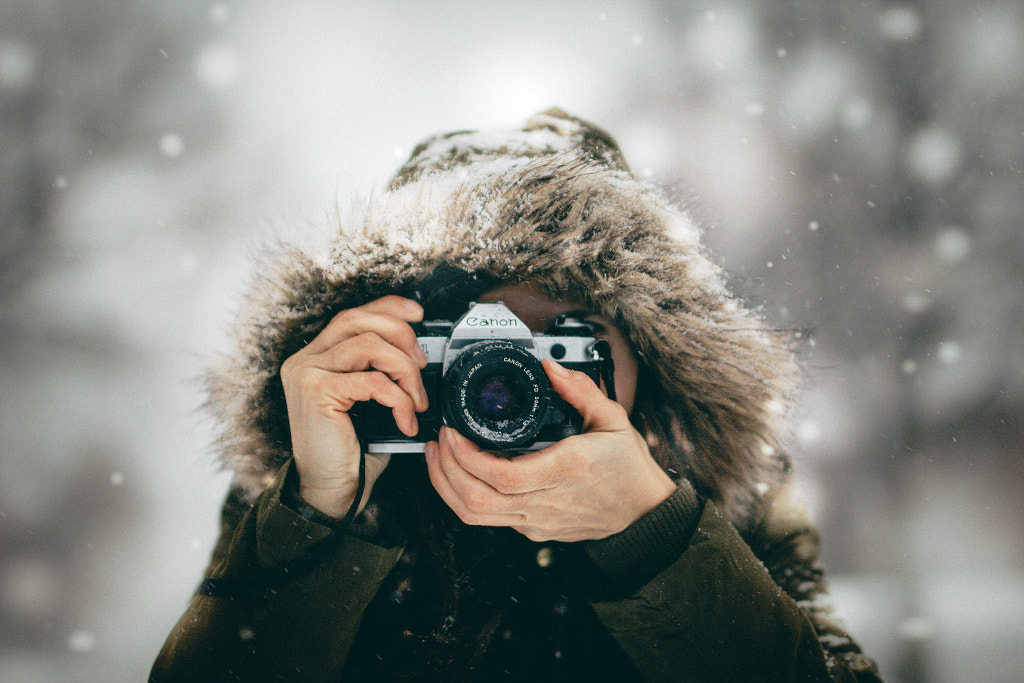
Me, taken by my 8 years old daughter. by Gabriela Tulian on 500px

Being business savvy is essential for any photographer working today, but it’s something many of us overlook. Photography skills are only one part of the equation—the ability to communicate with clients, network with industry insiders, and stay within a budget are also important. These days, you don’t need a fancy studio set-up to make money from your photography, but you do need a keen business sense.
Here are thirteen things to keep in mind before you get started.
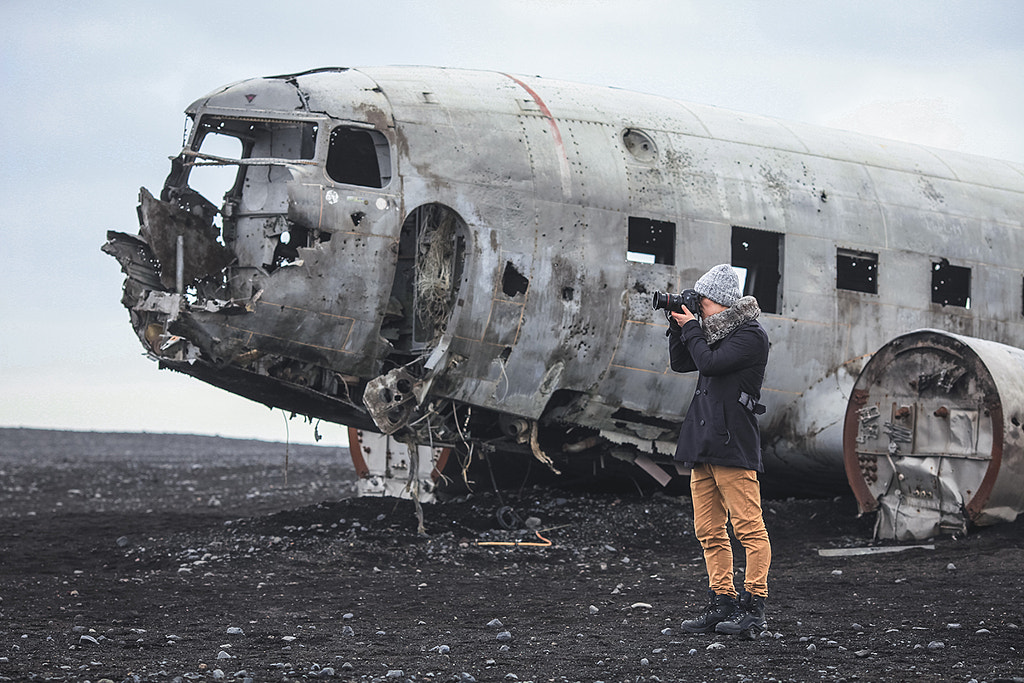
Photographer on beach with Plane Wreck, Iceland by Lingxiao Xie on 500px

You can learn a lot by assisting another photographer

One of the best ways to learn the ins and outs of the photography business is to start as an assistant. Browse 500px, Instagram, Pinterest, and Facebook, and keep an eye out for photographers in your area who are doing the kind of work you want to do someday.
Reach out and see if they need help on set, and offer them an extra pair of hands. Get creative and personalize your approach. Tell them what you like about their work, or send out a customized postcard or mailing with some of your recent work. Whether you’re helping them set up the studio or keyword their photos, apprenticing with a working photographer will give you invaluable insight into how the industry operates.

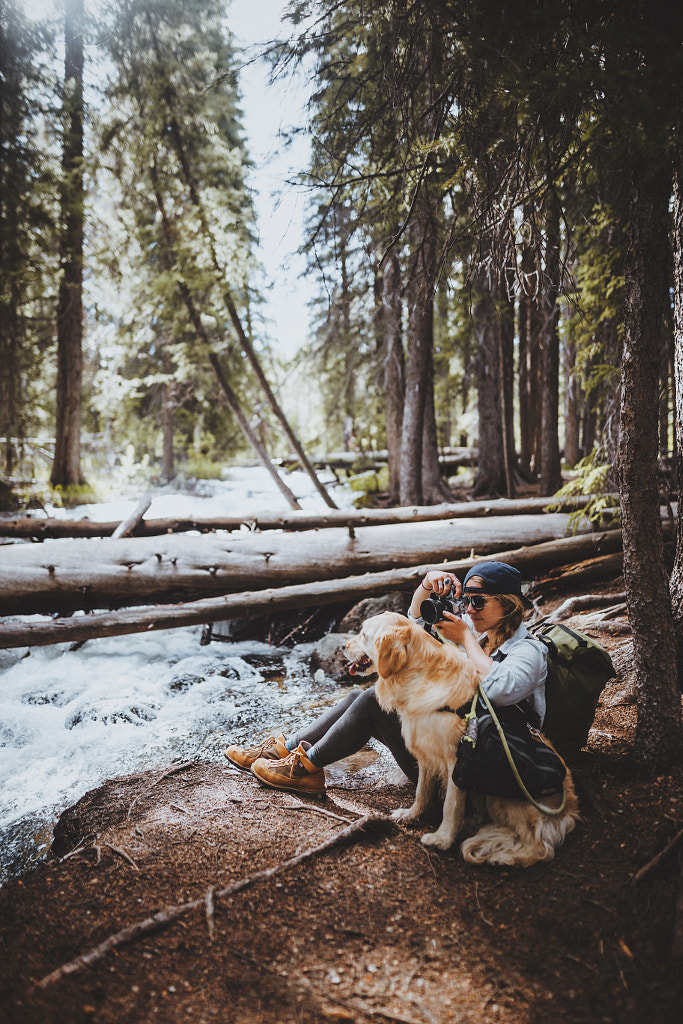
stream-side analog bangers by Sam Brockway on 500px

It’s important to find a community

Before starting a business, get specific about the field and genre you want to enter and start making connections within that industry. These days, there are all sorts of niche markets available to photographers, so the more specific you can get about the kind of work you want to shoot (and who your ideal clients are), the better.
If you’re interested in event photography, for example, network with party planners in your area and see if you can trade referrals. If you love animals and want to work in pet photography, volunteer at your local shelter to help animals get adopted. Or, if you’re interested in portraiture, offer free prints to models in exchange for their time.
Don’t forget to explore Licensing as a potential avenue—and income stream. If you license your work through 500px, your photos could be promoted to clients around the world, who can purchase your images as royalty-free stock photography.

 by Renat Renee-Ell on 500px

Trends change all the time

Speaking of stock photography, licensing your photos is a great way to explore what kinds of images are commercially viable. 500px Licensing Galleries provides an overview of trending topics, from vegan food to outdoor adventures, so check back often to see what’s selling. Once you get a feel for emerging trends, you can incorporate them into your own shoots for client and stock work alike.

 Ocean Chilling by Cameron Prentice on 500px

It’s up to you to be different from everyone else

Spend some time thinking about what makes you memorable. Maybe you have access to a rare location or subject, or you have a “signature” lighting style—whatever it is, it’s important to have something that differentiates you from the crowd (and the competition).
Pay attention to the comments and reactions you get from followers. Upload your photos to 500px, monitor your “likes,” and form connections with like-minded photographers online. They might be able to notice patterns in your work before you do—and pinpoint that special attribute that sets you apart. When testing out a new aesthetic or idea, pay attention to the critical response.

Time Travel by Andy Kirby on 500px

If you value your time, other people will too

When you’re first getting started, it’s tempting to accept unpaid jobs, and sometimes, it might be worth it if a brand or platform offers widespread exposure. But if you want to succeed in this business, you also have to know how to negotiate.
Once you’ve set up a business plan, calculated your costs, and taken a look at prices in your area, it’s your job to ensure you get paid fairly for your work. As you progress, keep track of how much time you spend on each assignment to determine your hourly rate. If it isn’t enough, you’ll know to raise your prices.
Creating a business isn’t easy, but learning to stick up for yourself and knowing your worth is the first step.

Writer workplace with spilled ink, stationery and a typewriter. Crumpled paper balls with pencils... by Dina (Food Photography) on 500px

A business plan can be a major asset—if you do it right

Writing a detailed business plan that outlines your goals and objectives—and concrete, realistic numbers—is essential, and, on average, entrepreneurs who plan are more likely to be successful than those who don’t. But you don’t have to write your business plan right off the bat for it to be effective.
In fact, research from the Harvard Business Review reveals that, in general, the most successful entrepreneurs tend to write their plans within six months to a year of deciding to start a business. Additionally, the “optimal time” spent on drafting a plan proved to be about three months. It can take time to figure out what works and what doesn’t, so stay adaptable, and don’t get “locked” into doing one thing just because it’s in your business plan.

Budgets are essential—in the short and long term

Your initial business plan should outline all your goals for your first year, including how much you want to earn. Don’t forget to set up some spreadsheets or use a financial tracking app like Goodbudget or Toshl Finance to stay up-to-date with your expenses and profits. Staying organized is the first step toward avoiding overspending.
It can be easy to fall into the trap of buying too much too early, especially when it comes to gear, so remember to rent or borrow before you buy. Investing in marketing and honing your skills is generally a better bet than spending all your money on expensive gear.

It helps to get a CPA (Certified Public Accountant)

Touching base with an accountant will ensure you stay on track with your finances throughout the year—and it’ll keep you from dreading tax season!

Beautiful asian japanese girl street portraits by Cristian Negroni on 500px

Networking is a must

“People skills” are almost as valuable as your skills behind the camera. As a photographer, you’ll encounter all kinds of people—clients, models, editors, collaborators, etc.—and they’ll often hold the key to your success. Forge genuine, lasting connections with the people you work with. Learn about their work and support them in their professional endeavors.
Networking is about more than just cold-calling or meeting people at exhibitions, portfolio reviews, and events; it’s also about following up once you leave. Check-in with former clients, and submit your latest projects to editors and curators on a regular basis. Ask for feedback.
Also, don’t be afraid to ask clients for testimonials and referrals—this is how you get more work. You can even include a nice, subtle reminder at the end of a regular survey you send out following each job.

It pays to start local

In the beginning, some of your most valuable connections will be close to home. Attend local shows and reviews, and offer your services to businesses in your area. Starting locally is a good way to hone your networking skills, and with time, your circle will grow to include clients far and wide.

Newsletters can help you grow

As a photographer, email marketing is one of your most valuable assets—according to one survey from 2014, it can be forty times more effective than social media when it comes to getting new customers. As you grow your business, your email list will grow with it, but it’s important to get started building it up as soon as possible.
Start with models, clients, collaborators, editors, and anyone else who might be interested in your work. Under the General Data Protection Regulation (GDPR), you’ll need to have informed and unambiguous consent from your subscribers, so make sure to get their permission first.
Your newsletter can take any form you want, but think about incorporating visuals from your recent shoots and sharing some behind-the-scenes stories and tips. The more value and insight you can give your audience, the better. You can also add promotions for upcoming sessions or discount codes for prints to entice readers.

An Explorer and his world. by Mattia Bonavida on 500px

Patience is everything

Building a brand and a business is more of a marathon than a sprint. Take your time, and tackle every new assignment like it’s your dream job. Overnight success is a rarity in this business, but if you can slowly build a network and a client base, those small steps will add up over time.
Try new techniques, and test out what resonates with followers and clients. If something doesn’t sell, switch it up and experiment with a different approach. Enroll in a workshop with a photographer you admire to hone your skills and refine your eye.
As a photographer, you don’t have to box yourself into doing just one thing; instead, remember to adapt and evolve over time. Finally, avoid comparing yourself to others; everyone works at a different pace.

Passion for his job by Valentí Montes on 500px

You can’t forget to keep shooting

Running a business is a full-time job, but you also have to make time for personal projects. The 500px Content Team provides regular briefs in the form of Licensing Quests to help you tap into your creative potential—and exciting commercial markets.
Don’t let the hustle and bustle of daily life, bills, client invoices, and financial tracking can get in the way of practicing your craft. First and foremost, you’re a photographer, so remember to get out there and do what you do best.

Share this article.

Friday, December 27, 2019


25 Common Photography Terms All Beginners Need to Know


common photography terms and definitions for beginners
Learning digital photography seems like a tough task—especially when you’re met with all kinds of technical jargon that leave you clueless and itching for a dictionary. Or worse, leaving you trying to explain what you just learned by using phrases like “that hole you look through” or “that one button you press to take the picture.” Understanding the common photography terms, definitions, and lingo is a crucial first step towards improving your skill as a beginner photographer. Whether you’re shooting with your very first digital camera or want to learn more complex terms like chromatic aberration, f-number or image sensor, read on to see how you should change your perspective (or field of view!) when approaching digital photography or iso photography.
After all, those great how-to guides and classes to improve image quality or depth of field are full of new terms and concepts. While there are hundreds of terms associated with photography, beginners should add these 25 terms to their vocabulary to get a good start on mastering the basics. Speaking of basics, you can catch our annual Fundamentals of Photography series, taught by John Greengo.
And now, on to the common photography terms and definitions all beginner photographers need to know:

Aperture

This is the first common photography term you should learn. Simply put, aperture is the size of the opening in the lens. Think of the lens as a window—large windows or wide angles let in more light, while small windows let in less light. A wide open aperture will let more light into the image for a brighter photo, while a smaller aperture lets in less light. Aperture is measured in f-stops; a small f-stop like f/1.8 is a wide opening, a large f-stop like f/22 is a very narrow one. Aperture is one of three camera settings that determine an image’s exposure, or how light or dark it is. Aperture also affects how much of the image is in focus—wide apertures result in that creamy, unfocused background while narrow apertures keep more of the image sharp.

Build A Strong Foundation For Your Photography in John Greengo’s Photography Starter Kit


Aspect Ratio

If you’ve ever printed images before, you’ve probably noticed that an 8 x 10 usually crops from the original image. That’s due to aspect ratio. Aspect ratio is simply the ratio of the height to width. An 8 x 10 has an equal aspect ratio to a 4 x 5, but a 4 x 7 image is a bit wider. You can change the aspect ratio in your camera if you know how you’d like to print your image, or you can crop your photo when you edit it to the right ratio.

Bokeh

Bokeh is the orbs created when lights are out of focus in an image. It’s a neat effect to have in the background of a photo, created through wide apertures. It will have an interesting effect on your image quality. Check out our ultimate guide to Creating Backgrounds With Bokeh for everything you could want to learn.
bokeh common photography terminology, photography for beginners

Burst Mode

You can take photos one at a time. Or, you can turn the burst mode on and the camera will continue snapping photos as long as you hold the button down, or until the buffer is full (which is a fancy way of saying the camera can’t process anymore). Burst speeds differ based on what camera or film camera you own, some are faster than others. Just how fast is written in “fps” or frames (pictures) per second. This will give you a wide selection of which close-up you’ll ultimately select of your dog!

Depth of Field

Depth of field is a photography term that refers to how much of the image is in focus. The camera will focus on one distance, but there’s a range of distance in front and behind that point that stays sharp—that’s depth of field. Portraits often have a soft, unfocused background—this is a shallow depth of field. Landscapes, on the other hand, often have more of the image in focus—this is a large depth of field, with a big range of distance that stays sharp.

Digital Vs. Optical

Digital and optical are important terms to understand when shopping for a new camera. Digital means the effect is achieved through software, not physical parts of the camera. Optical is always better than digital. These terms are usually used when referring to a zoom lens (on a compact camera) as well as image stabilization.

Build A Strong Foundation For Your Photography in John Greengo’s Photography Starter Kit

Exposure

Exposure is how light or dark an image is. An image is created when the camera sensor (or film strip) is exposed to light—that’s where the term originates. A dark photo is considered underexposed, or it wasn’t exposed to enough light; a light photo is overexposed or exposed to too much light. Exposure is controlled through aperture, shutter speed and ISO.

Exposure Compensation

Exposure compensation is a way to tell the camera that you’d like the exposure to be lighter or darker. Exposure compensation can be used on some automated modes and semi-automated modes like aperture priority. It’s measured in stops of light, with negative numbers resulting in a darker image and positive ones creating a brighter shot.

File Format

The file format is how your camera lens will record the image or image file. Raw files contain more information than JPGs, which makes them more suitable for photo editing in various editing software.

Build A Strong Foundation For Your Photography in John Greengo’s Photography Starter Kit

Focal Length

The focal length describes the distance in millimeters between the lens and the image it forms on the film. It informs the angle of view (how much of what is being shot will be captured) and the magnification (how large things will appear). Essentially, the focal length is how ‘zoomed in’ your images will appear. For example, a Canon (or Nikon or Olympus) 35mm lens will create images that appear more ‘zoomed in’ than a Canon 18mm.

Focus

When your eyes focus on an object that’s close to you, the objects far away will appear blurry. The common photography term “focus” has the same meaning. Something that is in focus is sharp, while an object that is out-of-focus isn’t sharp. Different focus areas determine if the camera is focusing on multiple points or one user-selected point.
focus common photography terms

Flash Sync

You probably know that the flash is a burst of light—flash sync determines when the flash fires. Normally, the flash fires at the beginning of the photo, but changing the flash sync mode adjusts when that happens. The rear curtain flash sync mode, for example, fires the flash at the end of the photo instead of the beginning.

Hot Shoe

Hot shoe is the slot at the top of a camera for adding accessories, like the aptly named hot shoe flash.

ISO

The ISO determines how sensitive the camera is to light. For example, an ISO of 100 means the camera isn’t very sensitive—great for shooting in the daylight. An ISO 3200 means the camera is very sensitive to light, so you can use that higher ISO for getting shots in low light. The trade off is that images at high ISOs appear to be grainy and have less detail. ISO is balanced with aperture and shutter speed to get a proper exposure.

Long Exposure

long exposure is an image that has been exposed for a long time or uses a long shutter speed. This technique is useful for shooting still objects in low light (used often by landscape photographers), or rendering moving objects into an artistic blur.
star trail photography common photography term

Manual

Manual mode allows the photographer to set the exposure instead of having the camera do it automatically. In manual, you choose the aperture, shutter speed and ISO, and those choices affect how light or dark the image is. Semi-manual modes include aperture priority (where you only choose the aperture), shutter priority (where you only choose the shutter speed) and programed auto (where you choose a combination of aperture and shutter speed together instead of setting them individually). Manual can also refer to manual focus, or focusing yourself instead of using the autofocus.

Metering

Using manual mode isn’t all guesswork—a light meter built into the camera helps guide those decisions, indicating if the camera thinks the image is over or under exposed. Metering is actually based on a middle gray, so having lighter or darker objects in the image can throw the metering off a little bit. Metering modes indicate how the meter is reading the light. Matrix metering means the camera is reading the light from the entire scene. Center-weighted metering considers only what’s at the center of the frame and spot metering measures the light based on where your focus point is.


Noise

Noise is simply little flecks in an image, also sometimes called grain. Images taken at high ISOs have a lot of noise, so it’s best to use the lowest ISO you can for the amount of light in the scene.

RAW or Raw Files

RAW is a file type that gives the photographer more control over photo editing. RAW is considered a digital negative, where the default JPEG file type has already been processed a bit. RAW requires special software to open, however, while JPEG is more universal. Typically, it’s better to shoot in RAW because the image retains more quality making it better for editing.

Shutter Speed

The shutter speed is the part of the camera that opens and closes to let light in and take a picture. The shutter speed is how long that shutter stays open, written in seconds or fractions of a second, like 1/200 s. or 1”, with the “ symbol often used to designate an entire second. The longer the shutter stays open, the more light that is let in. But, anything that moves while the shutter is open will become a blur, and if the entire camera moves while the shutter is open the whole image will be blurry—that’s why tripods are necessary for longer shutter speeds.

Shutter Release

That’s the button (or shutter button) you press to take the picture. It allows you to point-and-shoot.

Single Lens Reflex

A single lens reflex camera has a single lens that forms an image which is reflected to the viewfinder. Digital single lens reflex cameras or DSLR cameras are the most versatile of the digital cameras.

Time Lapse

A time-lapse is a video created from stitching several photos together taken of the same thing at different times. Don’t confuse a time lapse with a long exposure, which is a single image with a long shutter speed.

Viewfinder

That’s the hole you look through to take the picture. Some digital cameras don’t have one and just use the screen, but all DSLRs and most mirrorless cameras use them.

White Balance

Your eyes automatically adjust to different light sources, but a camera can’t do that—that’s why sometimes you take an image and it looks very blue or very yellow. Using the right white balance setting will make what’s white in real life actually appear white in the photo. There’s an auto white balance setting, but like any automatic setting, it’s not always accurate. You can use a preset based on what light you are shooting in like sun or tungsten light bulbs, or you can take a picture of a white object and manually set the white balance.


Share this article

Photography Basics for Noobs | Beginner Guide

Film Photography for Complete Newbies ��!

Thursday, December 26, 2019

Remote Shutter Release Versus the Built-In 2-Second Timer

It’s no secret that being a photographer, amateur or professional, can be quite expensive. We both travel and we want the latest and best equipment but we can’t always afford it all. Being selective with the equipment we choose to purchase can be wise as it’s better to spend a few dollars extra purchasing something of quality. A lot of the gear we have isn’t essential and can easily be done inside the camera itself. Let’s look at using a remote shutter release versus the delayed timer built into the camera.
SelfieVoringsfossen
A self portrait captured by using a remote shutter
A remote shutter is something you may have heard repeatedly that you need to purchase, especially if you’re into landscape photography. One of the main uses of a remote shutter is to minimize the vibration when taking a image to get a sharper result. What you also may know is that your camera has a delayed shutter function, typically of 2 and 10 seconds. So do you really need to purchase a remote shutter when you can do it in the camera? Let’s look at some pros and cons of using each – a remote shutter release and delayed shutter.

Delayed Shutter

Most digital cameras have a Delayed Shutter function. In fact, even smartphones have it.
Since I was close to the camera I could use a delayed shutter
A delayed shutter is, in simple words, a function that tells the camera to wait a few seconds after you push the shutter before it takes the picture. This allows you to either run in front of the camera and take a selfie or reduce the amount of vibration. This function is especially useful when you’re using a slow shutter speed and have your camera mounted on a tripod. If you use a shutter speed of 0.5 seconds and press the shutter you’ll see that the image will come out less sharp than if you use a delayed shutter.

Pros of the Delayed Shutter:

  • It’s a standard function in most digital cameras and smartphones.
  • It’s free.
  • It reduces vibration and leads to a sharper image.
  • You can choose between a short delay or a longer delay.
  • You have the time to position yourself in the image after pressing the shutter.

Cons of the Delayed Shutter:

  • It’s not flexible.
  • If you’re photographing something with motion it’s hard to time the shutter release perfectly and you might miss the shot.
  • In some cameras, the function is found deep in the menu.

Remote Shutter Release

Remote shutter release can vary in form, shape, and price. Some are tiny and inexpensive, while others are larger, with more options but also a less attractive price tag.
I used a remote shutter and interval timer to photograph myself on the edge
I used a remote shutter and interval timer to photograph myself on the edge.
Choosing the right remote shutter release can be a hassle sometimes as you may not know your needs. You may only need a simple one to avoid any motion when taking the image, or may need something more advanced that lets you do interval timing or perhaps something that has a “Bulb lockup”.
Once your needs are established, you have to sort out if you want a cable release or wireless. I won’t get into the topic of which is better, but again you need to consider your needs for a remote.
remote-timer-nikon

Pros of remote shutter releases

  • Wireless remotes allow you to stand far away from the camera and take pictures.
  • Advanced models have many options such as interval timers.
  • You can use “Bulb Mode” without having to hold the camera’s release button and cause vibration.
  • Many models have LCD screens with a timer.
  • Take a picture at the exact moment you need.
Freezing the exact moment with a cable release

Cons of remote shutter releases

  • More advanced models can be very pricey.
  • It takes extra space in your bag.
  • It might be hard to choose the right model.
  • Cables break quickly on low-end cable releases.
  • Small, wireless remote shutters are easy to loose.

What is best?

To be honest with you, they both have their advantages. It would be wrong to say that one is better than the other in any case.
That being said, as a landscape photographer, I am dependent on my remote shutter. A lot of the time I can’t wait the extra two or three seconds before the image is taken, as the moment is gone by then. When I’m photographing rushing waves I need to capture the image at the exact moment I want, ergo I need a remote shutter. If I’m in the woods and not photographing anything that might move, I don’t need the remote shutter (even though I use it by habit).
Shutter speeds over 30 seconds requires a remote shutter
Shutter speeds over 30 seconds require a remote shutter
If you only photograph still landscapes and you don’t need a shutter speed of more than 30 seconds, I don’t see a reason to purchase a remote shutter. If you photograph anything with motion or need a shutter speed of more than 30 seconds I recommend you to purchase one.

Share this article

Using Shutter Release Cables in Digital Photography

There are a variety of techniques you can use to reduce camera shake and increase the sharpness of the images that you take. Some, like using a tripod, have a fairly major impact (they’re no brainers really) while others do have an impact – but they’re generally fairly small.
One of those smaller techniques that a number of readers of DPS have been writing to me about recently is the use of shutter release cables (or remote shutter release devices).
The majority of digital photographers who are taking everyday shots of family and friends won’t go here – but serious photographers who spend a lot of time lining up shots and wanting to eliminate even the smallest camera shake will want to invest in a shutter release cable – particularly those shooting with longer shutter speeds where even the smallest camera movement (like the depressing of a shutter with even the lightest touch) can have an impact.
Shutter release cables are available for all major DSLRs and some point and shoots and come in a variety of flavors including the traditional cables and the more recent wireless models that often use infrared technology.
Of course if you’re using a shutter release cable you’ll want your camera to be mounted on a tripod or on some other completely still object.
But what happens if you don’t have a shutter release and you’re wanting to use a long exposure time and are worried about camera shake? Fortunately your digital camera has another feature built into it that can help – your self timer.
While digital camera self timers are not designed with this purpose in mind they are one way of ensuring no camera shake at all when taking an image. Of course you’ll need to anticipate the moment to take the image 10 or so seconds before taking it (not the best for any subject matter that’s moving or changing) however it’s a useful thing to keep in mind when doing landscape or still life photography.

Share this article.

How to Hold a Camera

How To Hold A CameraGet Free Weekly Digital Camera Tips via Email
One of the common problems that many new digital (and film) photographers have is ‘camera shake’ where images seem blurry – usually because the camera was not held still enough while the shutter was depressed. This is especially common in shots taken in low light situations where the shutter is open for longer periods of time. Even the smallest movement of the camera can cause it and the only real way to eliminate it is with a tripod.
Adding to camera shake is a technique that is increasingly common with digital camera users of holding the camera at arms length away from them as they take shots – often with one hand. While this might be a good way to frame your shot the further away from your body (a fairly stable thing) you hold a camera the more chance you have of swaying or shaking as you take your shot.

How to Hold a Camera

Tripods are the best way to stop camera shake because they have three sturdy legs that keep things very still – but if you don’t have one then another simple way to enhance the stability of the camera is to hold onto it with two hands.
While it can be tempting to shoot one handed a two hands will increase your stillness (like three legs on a tripod being better than one).
Exactly how you should grip your camera will depend upon what type of digital camera you are using and varies from person to person depending upon preference. There is no real right or wrong way to do it but here’s the technique that I generally use:

  1. Use your right hand to grip the right hand end of the camera. Your forefinger should sit lightly above the shutter release, your other three fingers curling around the front of the camera. Your right thumb grips onto the back of the camera. Most cameras these days have some sort of grip and even impressions for where fingers should go so this should feel natural. Use a strong grip with your right hand but don’t grip it so tightly that you end up shaking the camera. (keep in mind our previous post on shutter technique – squeeze the shutter don’t jab at it).
  2. The positioning of your left hand will depend upon your camera but in in general it should support the weight of the camera and will either sit underneath the camera or under/around a lens if you have a DSLR.
  3. If you’re shooting using the view finder to line up your shot you’ll have the camera nice and close into your body which will add extra stability but if you’re using the LCD make sure you don’t hold your camera too far away from you. Tuck your elbows into your sides and lean the camera out a little from your face (around 30cm). Alternatively use the viewfinder if it’s not too small or difficult to see through (a problem on many point and shoots these days).
  4. Add extra stability by leaning against a solid object like a wall or a tree or by sitting or kneeling down. If you have to stand and don’t have anything to lean on for extra support put your feet shoulder width apart to give yourself a steady stance. The stiller you can keep your body the stiller the camera will be.
Holding a camera in this way will allow you flexibility of being able to line up shots quickly but will also help you to hold still for the crucial moment of your shutter being open.
Another quick bonus tip on how to hold a camera – before you take your shot take a gentle but deep breath, hold it, then take the shot and exhale. The other method people use is the exact opposite – exhale and before inhaling again take the shot. It’s amazing how much a body rises and falls simply by breathing – being conscious of it can give you an edge.
Of course each person will have their own little techniques that they are more comfortable with and ultimately you need to find what works best for you – but in the early days of familiarizing yourself with your new digital camera it’s worth considering your technique.
One last note on how to hold a camera – this post is about ‘holding a camera’ in a way that will help eliminate camera shake. It’s not rocket science – but it’s amazing how many people get it wrong and wonder why their images are blurry.
There are of course many other techniques for decreasing camera shake that should be used in conjunction with the way you hold it. Shutter speed, lenses with image stabilization and of course tripods can all help – we’ll cover these and more in future posts.

Share this article.

Wednesday, December 25, 2019

Merry Christmas!


Image result for merry christmas clip art free religious

Does the Camera Matter? SLR versus Mirrorless versus Smartphone

Camera comparisons
When our wonderful editor Darlene asked me to write an article comparing camera types my first thought was to show you a series of photos just like the following, and ask you to guess which ones were taken, with which cameras. It’s a fun idea, so let’s do it.
This is the list of cameras.
1. Olympus D345 (5 megapixel compact, purchased 2006)
2. EOS Digital Rebel XT (8 megapixels APS-C dSLR, purchased 2006)
3. EOS 40D (10 megapixel APS-C dSLR, purchased 2007)
4. EOS 5D Mark II (21 megapixel full-frame dSLR, purchased 2010)
5. iPhone 5
6. Fujifilm X-T1 (16 megapixel APS-C mirrorless, purchased 2014)
Here are the photos:
camera-comparisons-2
camera-comparisons-3
camera-comparisons-4
camera-comparisons-5
camera-comparisons-6
Camera comparisons
How did you do? Here are the answers.
A. EOS 5D Mark II
B. Olympus D345
C. Fujifilm X-T1
D. EOS 40D
E. EOS Digital Rebel XT
F. iPhone 5
Now, this isn’t a fair comparison, for several reasons. One is that these photos are reproduced here at 750 pixels wide. You really need to see them uncropped to appreciate the difference in quality and size (for example, the photo taken with the 5D Mark II is four times the size of the one taken with the Olympus D345).
Also, these photos don’t tell you much about the dynamic range capability of each camera, or how well they perform at high ISO settings. The Olympus D345 doesn’t even have a high ISO setting – all photos are taken at a fixed ISO of 50 (something I didn’t realize until after I bought it).
Then there’s the variable of lens choice, which also affects image quality, plus post-processing (clarity and sharpness adjustments in particular can make a big difference to the apparent sharpness of an image).
All this exercise does, is tell you that if all you want to do is post photos online, then just about any camera will suffice. John Lennon is quoted (probably apocryphally) as saying:
“When I went to school, they asked me what I wanted to be when I grew up. I wrote down ‘happy’. They told me I didn’t understand the assignment, and I told them they didn’t understand life.”
To paraphrase, anybody who asks what camera you took a photo with probably doesn’t understand photography. Okay, that’s a bit harsh, but it’s a question that misses the point. Nobody who matters cares what camera you you used to take the photo.
If you submit a photo to a magazine, a photography competition, or a gallery, unless there’s a specific reason they need to know (good luck sending a photo taken with a Canon camera to Nikon Photo magazine) they don’t care.
All that matters is the strength of the photo – did you capture an interesting subject? Is the composition strong? Is the lighting beautiful? Does your photo move people, inspire emotion? None of this has anything to do with the camera, and everything to do with the photographer.
So, why do we have this endless discussion about cameras? Well, for most of us photography is a hobby and discussing gear and lenses is all part of the fun.
But sometimes the discussion is more purposeful. Cameras are tools, and good photographers learn to either adapt to the tool at hand, or choose the best one for the job. The question is not what camera is best, but which camera is best for you, and the purpose you have in mind. Discussions about what cameras are best for what subject can go on a long time!
So, bearing in mind I’ve been asked to write about SLRs vs mirrorless cameras vs smartphone cameras, let’s take a look at which each of these tools does.

The Digital SLR

SLR cameras replaced rangefinders sometime in the 1960’s, as the camera style of choice for most photographers. The main advantages of SLRs is that, unlike rangefinders, the viewfinder shows you exactly what the lens sees (or 95% or so, of it anyway).
Until about six years ago the digital SLR was the undisputed king of 35mm and crop sensor camera designs. You get an optical viewfinder that shows you what the lens sees, no matter which lens you use on the camera, and fast and reasonably accurate autofocus in an ergonomic body. Sizes range from small (such as the EOS 100D/Rebel SL1) to massive (the Nikon D5) and the specifications range from entry level, to high-performance professional.
Where digital SLRs excel (high-end ones at least) is with autofocus tracking of moving objects. That, plus the wide range of available super-telephoto lenses, makes them the camera of choice for most professional sport and nature photographers.
Camera comparisons
Digital SLRs are good for capturing photos of fast moving subjects like this knight on horseback.

The Smartphone

Apple more or less invented the modern smartphone with its first iPhone back in 2007. Since then smartphones and their cameras have improved immensely. The appeal of the smartphone camera is fairly obvious – most people carry their phone just about everywhere.
An antidote to the large, heavy SLR, smartphones bring a degree of freedom that photographers hadn’t experienced before. When I asked a friend once how she was going with her EOS 40D (she bought one about the same time as me) she replied that she was “sick of lugging that thing about” and just used her iPhone now.
Throw in apps like Instagram and Snapseed, and the ability to share photos instantly, and you can see why smartphone cameras are popular. If you’ve seen Apple’s iPhone posters you’ll also know they are capable of creating insanely good images in the right hands.

The Mirrorless Camera

The mirrorless camera fills the gap between smartphone and digital SLR that was previously occupied by high end compacts. The best mirrorless cameras have the lens choice, image quality, and functionality of professional digital SLRs in a lighter, cheaper, and smaller body. The biggest difference between the two, in terms of performance, is accurate autofocus tracking of moving subjects, and the gap is getting smaller (whether it will ever be reduced to zero is something we will see in the future).
Mirrorless cameras appeal to photographers who want high performance cameras in a small body. They are great for street and travel photographers.
Camera comparisons
Mirrorless cameras are great for street and travel photography, helping you take photos like this.
So, here’s my answer to the question “Does the camera matter?” No it doesn’t. Most people don’t care what camera you took a photo with. You may be curious – for example, if you see someone creating beautiful landscape photos, it’s natural to wonder if buying the same camera and lens will help you do so as well (the answer is that it may help, but it probably won’t – you’d be better off asking how they mastered their craft and how hard they work to get their images). But ultimately, nobody cares. They only care about the photo.
Should you care what camera you use? Yes, you should, because it is your job as photographer to make sure your tools are up to the job at hand. You need a camera that suits you and your way of working, that fits into your budget, and has all the features you need for the types of photography you do.
Agree? Disagree? Let us know in the comments!
If you’d like to learn more about the basics of photography, then please check out my ebook Mastering Photography: A Beginner’s Guide to Using Digital Cameras.

Editor’s Note: This is one of a series of articles this week that are Open for Discussion. We want to get the conversation going, hear your voice and opinions, and talk about some possibly controversial topics in photography.
Give us your thoughts below, and watch for more discussion topics each day this week.
See all the recent discussion topics here:
Share this article.