Thursday, December 19, 2019

How to Soften the Light When Using Flash

Same Flash mounted in a Photo Flex Light Dome

Why do flash images look harsh?

Recently, a number of dPS readers have asked the question on Facebook, “How do I use a flash and not have my images look so harsh?”.
Let us first understand the difference in using natural or ambient light and using a flash. With natural light you have little control over intensity, direction, or color. With a flash, you have a lot more control if you can grasp the fundamentals of light and exposure. Using a flash you can control the direction, intensity, color and distribution of the light.
A good understanding of how your flash affects the way the subject is lit, and how it will appear in the final image is important.

Understanding light

The properties of light include: quality of light, quantity of light, and also color of light, but we will exclude that from this article.
Brightness: is a relative expression of the intensity of energy output of a visible light source.
Contrast: is the difference in light between parts of an image.
Shadows and highlights: consider that the absence of light is shadow, so shadows are parts of your subject that are not lit, and highlights are the parts that are lit.
The quality of light: here we use the terms “hard” and “soft” to define the quality of light. Hard light is found on a bright, sunny day. It creates very bright and very dark areas in the same scene. Another good example of hard light is an on-camera flash. When it is used as the only light source it results in a brightly lit subject and a very dark background. Soft light on the other hand can be defined as smooth, diffuse and evenly distributed. This type  of light creates few shadows. Cloudy days and shaded areas are examples of this quality of light.
Size of the light:  small light sources produce hard light while large light sources produce soft light.
Distance: the farther the light source is from the subject, the harder the light it will produce.
Example: although the sun is very large, its relative size to us is small and it produces a hard light. However, on a cloudy day the light becomes a relatively large light source and the sun is no longer a hard light. Not only do the clouds make the light source relatively larger, they take that bright light source and diffuse it. As a result there is no direct light falling on anything in the scene you are photographing.
dps4-1
Nissin Flash with Diffuser
You can conclude that on a cloudless day, the light source is small, it is distant, it is bright and therefore is hard light. This light will create sharp shadows that define high contrast. On a cloudy day the relative size of the light source is large, it is much closer (the cloudy sky), less bright, and diffused. This light will create soft shadows and thereby lower contrast.
Photographing different types of subjects require different types of light. In response to the question asked, lets consider people photography. Your portraits will be far more pleasing when they are photographed with less contrast using a soft light. Yet in some cases, like for dramatic portraits of actors, high contrast looks great. High contrast using hard light is good when you want to show texture of the skin in older people. Contrast will exaggerate texture and facial features as the shadows are well defined. Less contrast, or the use of soft light (diffuse light), will deemphasize the texture and give skin a smoother appearance. This is what you are looking for, particularly with the female portrait.
When you use a flash, on or off camera, you are using a relatively small, hard, directional light source. This is a problem, since you end up with high contrast and a harsh appearance to your portrait. To solve this problem you have to make the light softer by making it larger. Remember, soft light is a large, light source, so the key to making your light softer is to make it larger.

Modifying light from the flash

On-camera flash

Here are some ways to make the on-camera flash into a soft light source. We will start with the simplest without using additional products, and move on to the more complex options using modifiers.
Bounce the flash: Bouncing is one way to make the light source larger but the light will also lose intensity. By bouncing the light off of walls and ceilings, the light falling on your subject will originate from a much larger area as compared to a directly aimed flash. Outdoors this may not be possible so you may have to find other means to bounce the flash. You can use large white foam core boards, umbrellas or you can buy a reflector. Reflectors come in various sizes and can have multiple surfaces that bounce or reflect the light. These can be twisted and folded into very compact and portable bags.  If all you have is a white business card or an index card on hand, use an elastic band and affix the card to the top of your flash.  This will serve as a small bounce and help provide catch lights in the subject’s eyes.
Tips:
  • Since bouncing the light reduces light intensity you will need to adjust your flash for higher output.
  • Bouncing off colored walls or ceilings will impart the same color cast on your subject
dps4-2
Rogue FlashBender Large
Use a Diffuser: The simplest diffuser is a piece of tissue paper taped in front of the flash lens. Plastic diffusers that either fit over the flash head or are fastened using Velcro or elastic bands, are the next step up. Stofen makes these diffusers in various sizes to fit most flash heads. A number of products that will bounce and diffuse light are available – Rogue Flash Bender products are a good example.  A number of manufacturers make small portable soft boxes designed for use with a flash.
Diffusers work well for indoor flash photography but are not that useful when outdoors. In addition, just as when using bounced light, diffusers also require higher power to achieve the same exposure.
There is one other problem that needs solving – flat lighting. The on-camera flash sits near the axis of your lens, so when you use a diffuser the light will still be coming from the same angle and you portraits will have little dimensionality. The images will appear flat. It gets worse if there is no diffuser. You will get red-eye or the deer in the headlights look.

Off- camera flash

The position and direction of the light source has a great impact on the appearance of your subject. We covered contrast and how contrast is defined, but the visibility of this contrast (visibility of shadows and highlights) depends on the position of the light source, be it diffused or not.
Any subjects, no matter how much texture and dimension it may have, when lit and photographed from the same angle will look flat as shown in the diagram below left. In order to show dimension and texture, the flash direction and the angle of the camera lens must not be coincidental, as shown below right.
Lighting-1 Lighting-2
The maximum dimension theoretically would be when the light source and the camera are at 90 degrees. However, this is a bit extreme. See the diagram below.Lighting-3
If the flash is mounted on-camera the camera will see and capture the side of the subject that is blasted with head-on light. As a result there are few if any shadows and you get the appearance of a harshly lit subject.
It may not always be possible to use the flash off-camera. Even small extensions using flash brackets to either side or above will help. A flash mounted on a light stand and controlled via wireless trigger is ideal. Flash heads mounted in small softboxes (see below) or with a Rogue Flash Bender style product will defuse the light well.
dps4-3
Photoflex LiteDome XS
If you are in a studio like environment or even at home you can increase the relative size of your flash by directing it through a translucent (white not clear) shower curtain. You can build a PVC pipe frame and drape a shower curtain over it, or buy ripstop nylon and use it as diffusion material.
Finally, remember that the closer the light source is to your subject, the softer the light. The edge of the light source is softer than the center. Keep these tips in your arsenal. Armed with the information in this article you will hopefully make better portraits when using a flash and have a better understanding of controlling the light from your speedlight.
The following two portraits were shot in a casual setting with a white foam core board serving as a fill from the left side of the camera.  For the first image a diffuser that comes with the flash head was used.  As you can see that despite the use of a diffuser the light source is still small and relatively harsh.  The second portrait was shot using the light dome.  Notice how much softer the light is on the subject.  Both images are straight from the camera – no post-processing was done.
Single Flash with a manufacturer supplied Diffuser
Single flash on-camera using a manufacturer supplied diffuser
Same Flash mounted in a Photo Flex Light Dome
Same flash mounted in a Photoflex LiteDome XS Softbox

Share this article.

How to Photograph Fantastic Portraits with One Flash


sing a flash for portraits can be a great way to enter the world of studio lighting without having to spend too much on an expensive lighting kit. While there are affordable systems, using a flash is both easy to set up and use when you know how to do it right. After some practice, you’ll achieve looks that have that studio quality and creative lighting all-in-one.
Image: Use one flash for portraits and bounce light off the ceiling for an even light on your client...
Use one flash for portraits and bounce light off the ceiling for an even light on your client’s face.

Why use flash for portraits?

Flash can give you the portability that you’re looking for in a lighting system without having to carry extra gear just to use it. You can use a flash on or off-camera. It offers versatility in use so that you can achieve the look you want in your portraits.
Image: Use one flash on-camera to light your clients against a sunset sky.
Use one flash on-camera to light your clients against a sunset sky.
Also, when you need to fill in light, say during sunset or compete with afternoon lighting, using a flash can help you get better exposure from frame-to-frame during your sessions. This gives both you and your clients more final images to choose from that are correctly exposed. You’ll also spend less time working on the images in an editing program.

What kind of flash is best to use for portraits?

While most flash systems are pretty good in their own right, you’ll want to invest a bit in a flash that is able to be used in both manual and TTL modes. Having a flash that has the ability to use both modes will give you more range during your portrait sessions.
Image: Difference between flash and no flash. Notice the background in both pictures. This was using...
Difference between flash and no flash. Notice the background in both pictures. This was using one 
flash on-camera.
Choose a flash system that is compatible with your camera. It doesn’t have to be of the same brand family. However, choose one that is made to work with your camera brand. It will give you better results and have fewer faults when the time comes to set it up and use it. You will spend less time learning how to use it on your camera and more time experimenting with it instead!

Modes on flash

There are two main modes on a flash and both have their purpose when it comes to portraits: TTL and manual.
How to Photograph Fantastic Portraits with One Flash
One mode is TTL, which means “through the lens.” It’s when the flash meters the light and then chooses how much light it will fire when you take the photo. This result can sometimes be inconsistent lighting frame-to-frame, but it’s helpful when you need to work quickly without having much time to change the settings.
TTL does come with flash compensation, however, so you can choose it to output more light or less light depending on what you want to achieve for your portraits. This will still allow the flash to meter and adjust accordingly on its own – thinking for you.
Image: Use TTL when you need to fire the flash quickly without wasting time with the settings. Use f...
Use TTL when you need to fire the flash quickly without wasting time with the settings. Use for 
moments that seem like they’ll pass quickly like fireworks. The flash meters the light and sets what 
it thinks is the correct power output.
The other main mode is Manual.
Manual allows you to set the power output from full (1/1), down to 1/128, on some flashes. This gives you control over how much light you want the flash to fire onto your subject and you can adjust as you go along. Manual gives you more consistent output and light since you only need to set it once. You can then leave it until your lighting situation changes or until you want to try something different.
Image: Taken with one flash on-camera at half-power to compensate for the fading light.
Taken with one flash on-camera at half-power to compensate for the fading light.
Both modes are great to explore when using flash on or off-camera to achieve your desired look in the portraits you take.

What happens when you use flash during sessions?

When you use flash during portrait sessions, you’re essentially taking a photo of the ambient light and the flash in one photo together.
Flash happens quickly. This is why many cameras often won’t allow you to use a shutter speed faster than 1/200th of a second so that your camera has time to capture the light in a scene. Some flashes come with an “h” button for high-speed sync, where it gives you the option to use a high shutter speed with the flash.
Image: Hitt the “H” button to be able to use the high-speed sync mode and photograph por...
Hitt the “H” button to be able to use the high-speed sync mode and photograph portraits with a 
shutter speed faster than 1/200th of a second.
Changing your shutter speed only changes the amount of ambient light. Whereas, when you change or adjust the ISO and aperture, both change the flash and ambient exposure. Changing the flash power only changes the flash exposure.
All are important to take into consideration when you use flash, whether on-camera or off so that you can correctly expose.
Image: In the photo on the left, I used one flash off-camera to camera right near the couple. On the...
In the photo on the left, I used one flash off-camera to camera right near the couple. On the right, 
no flash, same location and time.
For example, you can leave the flash power at a consistent output and change the ISO and aperture to achieve the desired look you want.
Image: Single flash tilted about 60 degrees toward the top with the bounce card up to bounce light b...
Single flash tilted about 60 degrees toward the top with the bounce card up to bounce light back 
onto the girl’s face.
When you’re getting started in using flash for portraits, keep in mind that you’re taking two photos in one exposure. A photo of what the flash lights and what it doesn’t. It takes some practice to achieve good results, so don’t worry if you don’t get it right the first time.

On-camera vs. off-camera

On-camera

Flash, on-camera, works really well during portraits when you need to add a pop of light, or to bounce light to fill in shadows. It’s also great when you can angle it in a creative way to add some interesting light to your portraits.
Most often, you can use the flash on the camera and get the right look for your portraits. Especially if they are families, weddings, and other similar types of portraits.
Image: One flash on-camera pointed toward the client at night.
One flash on-camera pointed toward the client at night.
The great thing about external flashes is that they come with the ability to angle at different degrees. They also give you the option to rotate the head and get the flash to fire in the direction and angle that best fits your situation. For example, a bride getting ready in a room with low light is the perfect time to use the flash, either bouncing from the ceiling or wall perpendicular to the bride.
Image: The photo on the left is with the flash angled to the side. For the photo on the right, I poi...
The photo on the left is with the flash angled to the side. For the photo on the right, I pointed the 
single flash toward the ceiling to bounce light back into the bride’s face.
Using the flash on-camera, angled at the ceiling will give you nice even lighting, especially if the ceiling is white. Additionally, if you use the flash pointed sideways, it will bounce light at an angle that will give your bride some shadows and thus more drama and depth.
At a beach, for example, place the flash on the camera and angle it toward your clients. Here, you can make sure your clients are lit while the sun rises or sets. Depending on where you’re located, you can light them evenly while getting the colors in the sky exposed correctly as well.
Image: Both portraits are lit with a single flash on-camera.
Both portraits are lit with a single flash on-camera.
If you’re competing with midday sunlight, with the flash on your camera, you can fill in shadows as you photograph your client. This is a good alternative to using a reflector or having an extra pair of hands to help reflect light.
Another great advantage of having your flash on-camera is that it moves with you. You take your light where you need it. For example, if you’re following a child running along the seashore, your on-camera flash goes with you and fires each time you hit the shutter fully. That way, you don’t have to worry about moving the flash while trying to capture this fleeting moment for your clients.
Image: Single flash on-camera pointed directly at the clients to be able to expose for both the back...
Single flash on-camera pointed directly at the clients to be able to expose for both the background 
and clients.
Another pro is that when the flash is on your camera, it’s faster to set or change your settings for the particular situation you’re photographing. Let’s say you need to work quickly while photographing the portraits for a bride and groom right after the ceremony.
Having your camera on your flash will make it easier to adjust the settings and power output for smaller or larger groups as they can change from frame-to-frame. Or when you’re photographing in sunlight that keeps hiding and coming out from behind moving clouds. You can adjust your settings at each change of sunlight so that you can expose your clients perfectly.
Image: Both photos use a single flash on-camera to light the client. Flash can be used indoors and o...
Both photos use a single flash on-camera to light the client. Flash can be used indoors and outdoors.

Off-camera

You’re more likely to achieve more studio-like lighting to your portraits using off-camera flash. It’s also an excellent choice when you’re photographing individuals, couples, or in a closed space. The ability to trigger your flash while not attached to your camera can offer lots of different creative lighting angles too. It can give you results that more closely resemble what you had visualized.
Image: Only one flash was used to camera left pointed at clients directly while I stood about 45 deg...
Only one flash was used to camera left pointed at clients directly while I stood about 45 degrees 
from the flash.
For example, in the photo above, the couple was walking along the shore. The cloudy sky didn’t offer us much light before setting behind the horizon. Having the flash off-camera angled at them, but also angled so that it lit the sand below, helped create more drama.
Image: The photo on the left has no flash. However, the portrait on the right is using the flash off...
The photo on the left has no flash. However, the portrait on the right is using the flash off-camera 
left. Notice the difference in the ambient light temperature (the lamp post lights are warmer in the 
photo with flash).
With the flash off-camera and on a light stand, you have the ability to photograph portraits with a longer focal length without having to worry about changing settings.
Let’s say you want to light a portrait with the light at 45-degrees of your client, and pointed down so it adds a little bit of drama to the scene.
Set the flash and adjust the settings on a stand. Now you use a longer lens like an 85mm, 100mm, or the 70-200mm lens at about 10-feet of distance. You get the same results with other focal lengths because you don’t have to move your flash around.
Image: A single flash was positioned closer to the client in front of me while I stepped about 10-fe...
A single flash was positioned closer to the client in front of me while I stepped about 10-feet back 
to use my 50mm lens and get some interesting light on the portraits.
The advantage of off-camera flash is that you get consistent lighting without having to worry about moving it around the scene even when you use a different lens and are farther from your subject.
In addition, while the flash is on a stand, you’re able to use attachments like an umbrella or softbox with your flash and not have to worry about it falling over or moving it at all.
Image: Single flash used off-camera on a stand. I placed it high to mimic the sun in a small bedroom...
Single flash used off-camera on a stand. I placed it high to mimic the sun in a small bedroom.
With off-camera flash, you’ll need to use a radio transmitter/trigger of some sort. That way, your flash, and camera can communicate wirelessly and achieve different lighting techniques.
Some transmitters come with receivers, and you’ll need to physically touch the flash to change the settings. Other transmitters come with a built-in LCD screen where you can change the settings of the flash from your camera. This is a huge advantage if you are at a distance from the flash.
Image: Single flash used off-camera on a light stand. I made the photos warmer in post-production.
Single flash used off-camera on a light stand. I made the photos warmer in post-production.

How to Photograph Fantastic Portraits with One Flash
Taking portraits with one flash can be a much easier setup and offer many different lighting opportunities for your portraits. Whether you use the flash on or off-camera, you will be able to create and manipulate the light in your portrait both inside and out on location.
Have you used flash during portraits before? Share with us your setup and experiences.

Share this article.

Wednesday, December 18, 2019

Digital Storage for Your Images – Organization 101

digital-storage-images.pngHow to store your digital images is an issue that faces every digital photographer at some stage. In this post ChristinaNichole Photography shares some tips on how to do it.
I once met a very talented photographer at a digital photography class. The topic of discussion was digital image organization. Of all the students attending this class, she was extremely distraught. When asked if she needed assistance, her response was, “I never knew how to organize my pictures before, so I kept them all in one file. Where do I start?!?
Not the best-case scenario.
Though not an overwhelmingly fascinating subject, without a doubt digital storage and file handling is one of the most important lessons a photographer can learn. In the digital age, when we have opportunity to store hundreds of thousands of images on one laptop or hard drive, things can get pretty complicated to go back and try to find “that one picture of Aunt Helen at Johnny’s 6th birthday party”. Especially if you don’t have an established workflow and file handling system.
Organizing your images will be one of the most time intensive and equally time saving tasks you can perform as a photographer. You don’t want to spend hours looking for that one picture if you can simply search your catalogue for it by a single keyword or date.
Various photo organizing programs can assist you in your organizing. You can customize this organization with most programs if you import directly into the program. This list of programs would include Picasa by Google, Aperture by Apple, and Lightroom2 by Adobe. Though these programs will help you exponentially, it’s helpful to begin with these general starting points:

  1. Upload your images using a unique file naming system. This way, each image has a unique name in your catalogue. This makes for super fast retrieval later on and no worries on 2 images having the same name! You have a few options with file naming, just choose a system that works well for you, and don’t change it. I find the following works best for me: Date, day, initials, image number: [2008-10-20_CND_0001.jpg]
  2. Upload your images into dated folders. For example, if I have two shoots on the 20th of November, I upload all of my images into that date [11-20-2008]. In my organizing program, I will then make separate collections for each shoot … all still in that single folder. [Folder >11-20-2008> Folder > Harmon Shoot]. Retrieval becomes a matter of less than 2 minutes.
  3. Once you have uploaded your images, go through and rate each image. It sounds like a pain, but once you get used to your system the rating goes by fairly fast. The rating options defer from program to program, but in Lightroom2, I rate my images on a 0 to 5 scale. Images rated 0 … 1 gets trashed. Images rated 2 get stored and major time is spent on editing them later. Images rated 3-5 are the ones I edit immediately and are happy with showing them to clients right away.
  4. If you can, it is really smart to keyword your images. In image programs like Portfolio … dedicated to massive amounts of photo storage … and Lightroom2 also, each keyword will be kept in a collection of its own. If I have just finished a portrait shoot, I will keyword something like this: Client, location, type of images, expression [smiling, laughing etc], on location, in studio…etc. If my client is a mother who wants any other pictures of her graduating son that are smiling, I don’t scroll through all my images to find those smile pictures. I simply go to my “smiling” keywords of that client and viola!
Organizing your images is a photographer’s lifesaver that cannot be stressed enough! If you are a beginner, take some time to figure out what system will work best for you. Whether putting together a family photo book, or going back to make prints for a client from last year, or even archiving your images, image organization will save you time and energy in the future.

Share this article.

8 Sites for Free Adobe Lightroom Presets

Following up from her recent post about How to Create Adobe Lightroom Presets – today Christina shares a few sites to get great Presets.

Check these sites out for some free Adobe Lightroom Presets download

  • Hacking Photography – Mike Newton has put together 12 excellent Lightroom Presets to help make your photos pop – they’re really excellent (as is everything else Mike does).
  • On One Software : Fantastic package of 85 presets!
  • Presets Heaven : Offers presets and training!
  • Wonder Land Presets : Packages with over a dozen free presets!
  • Inside Lightroom : Color, black and white, and calibration presets.
  • XEQUALS : Really fun site that connects users through presets!
Happy editing!
Note: since publishing this post Digital photography School has created 3 comprehensive sets of Adobe Lightroom Presets. Each collection is a bundle of 101 presets:

UPDATE: New Lightroom Presets Tutorials

Share this article.

Tuesday, December 17, 2019

Review of the Nikon Z6 Mirrorless Camera


In this review of the Nikon Z6 mirrorless camera, Tony and Chelsea Northrup test out this camera in different scenarios to see how it performs.

It has a few issues that you may want to know about, but are they serious enough to steer away from this camera?

Photography

  • Ergonomically, it feels good to hold.
  • Autofocus is an issue. While shooting wildlife, the camera hunted for focus and caused many missed shots. Even during a portrait shoot, the Z6 sometimes narrowly missed focus. As a result, they had to over-shoot to ensure they got at least one shot in focus.
  • Autofocus also failed in backlit scenarios, so manual focus was used.
  • The camera advertises shooting at 11 frames per second, but when shooting moving objects such as birds, you will need to drop that down to around 5 frames per second.
  • Because the sensor doesn’t close when changing lenses, there is more possibility of getting dust on the sensor (an issue with mirroless cameras in general).
  • White balance is the worst they have seen in any camera, and it had to be set manually.
  • Exposure compensation had to be constantly adjusted to get the right exposure. The camera would often underexposure backlit portraits – often by a number of stops.
If you are a photographer, you may be better off buying a used Nikon D750 with the same lenses, with no need for an adapter. You’ll get the same image quality, without the focusing issues, plus two card slots.

Video

  • When using video, rolling shutter is prevalent.
  • The image stabilization isn’t good when shooting video, so often needed to be switched off. It was jarring when walking, which is problematic due to the native lenses not having image stabilization either.
  • Focusing points go all the way to the edge of the frame.
  • While the Z6 doesn’t have eye detection focus, Nikon has promised it in a future Firmware upgrade.
  • While the Z6 has the best video autofocusing of any Nikon camera, they are still way behind other competitors.
  • The video looks great when shooting in low-light scenarios. So much so that it outperforms it’s competitors in this area, including the Canon EOS R, Nikon Z7, Nikon D850, and Sony A7R III. This makes it one of the best low-light video performance cameras ever made.
  • Auto White balance can be very problematic and often required setting it manually.
  • No flip screen for filming yourself.
If you already own the Nikon D750 or D850, you already have the best Nikon cameras, so save your money and stick to those.
If you must go mirrorless, perhaps try competitor brands such as Sony and Fuji.

You may also find the following articles helpful:

Nikon Z6 Review: Serious problems, but...

Why We Have Such a Love-Hate Relationship with Mirrorless Cameras

It’s odd how some ideas seem to cascade once our minds start churning.
I recently wrote about the weird fascination we have with constantly chasing the latest cameras and gear, where I investigated the uncanny rise of full-frame mirrorless cameras. And with the newly announced full-frame mirrorless offerings from Nikon’s (the Z6 and Z7) and Canon (the EOS R), the bell has been sounded for an all-out mirrorless war.
Which got me thinking. Why are we so fascinated by mirrorless camera technology?
Why We Have Such a Love-Hate Relationship with Mirrorless Cameras
Our love-hate relationship with mirrorless cameras is of special interest to me. I’m a card-carrying member of the Sony full-frame mirrorless photography club, and I’ve used an A7R MK1 as my main camera body for some years now.
Let’s look at what mirrorless camera technology gives us, and why the winds of mainstream personal and professional photography are gusting towards a predominantly mirrorless future.
Note: I’m not trying to promote one camera system over another. While I do most of my work with a mirrorless camera, I still use SLR (film and digital) bodies and large-format film cameras.

The Allure of Mirrorless Camera Tech

The concept of mirrorless cameras is nothing new. Mirrorless digital cameras with interchangeable lenses have been available commercially since 2004. That was the year Epson released the still cool (yes, really) R-D1, which incorporated a rangefinder design alongside a digital APS-C sensor. This camera was a bridge between the familiar 35mm rangefinder and the digital revolution that was soon to come.
But let’s back up just a second. What makes a mirrorless camera so appealing to the general shooter? For the most part, it’s the lack of a mirrored optical viewfinder (hence the name).
Why We Have Such a Love-Hate Relationship with Mirrorless Cameras

Size

Traditional SLR cameras (both film and digital) use a mirror and pentaprism system to show what’s being seen through the lens. But while this system is ingenious, it does make the camera quite bulky.
Mirrorless digital cameras do away with this system, relying on the digital sensor itself to show what’s going in front of the camera using an electronic viewfinder (EVF), an LCD screen, or a combination of the two. (Think of this as a constant “live view”.) This means mirrorless digital cameras can be inherently smaller than most DSLR camera bodies.
Image: The Sony A7R MK1 (left) and the Canon 7D MK1 (bodies only).
The Sony A7R MK1 (left) and the Canon 7D MK1 (bodies only).
And whenever something becomes smaller, it usually becomes more comfortable and practical.

Resolution for Days

Let’s briefly talk about the game-changing event in 2013, when Sony released the ILCE7 and ILCE7R (commonly known as the Sony A7 and Sony A7R respectively). These two cameras took what most hobby and professional photographers thought was possible from a compact digital camera and threw it out the proverbial window.
The A7 and A7R were the first full-frame mirrorless cameras, each packing pro-grade DSLR performance into a hand little camera body. They could even be mated to whatever lenses the photographer was using at the time (with the appropriate lens adapters). The A7 sported a 24.3 megapixel sensor, while the A7R floored us with a sensor packing 36.4 megapixels.
Why We Have Such a Love-Hate Relationship with Mirrorless Cameras
This meant ultra-high resolution, enhanced low-light performance and full-frame bokeh cream could be achieved with a mirrorless camera while keeping weight and physical size to a minimum. The fact the price was comparable to other full-frame DSLR cameras at the time led to a mass exodus as camera jockeys (including me) handed in their DSLR for these new, more wieldable mirrorless cameras that could match their current setups.

The Good, the Bad, and the Mirrorless

But it’s not all butterflies and rainbows in the mirrorless camera world. Some of the benefits of digital mirrorless cameras are also their Achilles heel.

Battery Life

The ever-present live view tends to drain batteries quicker than their DSLR cousins, and also limits their burst mode rates. While the problem has been somewhat alleviated, the battery life of full-frame mirrorless cameras still hasn’t caught up with most current DSLR models, even though their burst rates have. This leaves some feeling slightly disadvantaged when it comes to battery mileage.

A Diminishing Size Gap

As I said earlier, the ratio of photographic punch to physical size was one thing that drew me to the full-frame mirrorless realm. But it comes with a few caveats.
For example, if you need to use non-native lenses with converters you won’t get much of a size benefit from mirrorless systems compared to their DSLR counterparts.
Image: A Canon 5D MK3 with a Canon 50mm F/1.8 lens (left) and a Sony A7R with an EF 24mm f/1.4 Sigma...
A Canon 5D MK3 with a Canon 50mm F/1.8 lens (left) and a Sony A7R with an EF 24mm f/1.4 
Sigma lens attached via an MC-11 adapter.
While this is becoming less of a problem – more and more third-party lens manufacturers getting on board and producing native-mount lenses for most mirrorless cameras – it’s still worth mentioning.

An Undeniable Shift in Mentality

The “big guys” (i.e. the larger camera manufacturers) have been basking in their exclusivity for years. While they’ve produced  excellent (and sometimes iconic) cameras and lenses, their innovation has been lacking during the past few years.
Why We Have Such a Love-Hate Relationship with Mirrorless Cameras
These long-standing giants in the photographic industry are starting to realize they aren’t the only game in town. And consumers have gotten wise to the fact that mirrorless cameras, particularly full-frame mirrorless cameras, can match (if not outperform) the products that have seen them resting on their laurels for so long. The Nikon Z6 and Z7, the Canon EOS R, and even the Panasonic SR1, all hint that Bob Dylan was right all along.
The times really are a changin’.

Share this article.

Are Micro-Four-Thirds Cameras Dead, or Do They Still Have Their Place?


By: Mark C Hughes  Mark C Hughes

In this article, we are going to look at whether micro-four-thirds cameras still have a place in today’s marketplace.
In the course of the last year, there have been changes to the photography landscape with the introduction of several mirrorless full-frame camera models, particularly from the big two manufacturers: Canon and Nikon. After a long delay, they finally entered the mirrorless camera market in a big way with higher-end full-frame (FF) cameras.
Beyond the big two, Panasonic (in conjunction with Sigma and Leica) also introduced a new mirrorless FF camera system and mount. This represents a sudden increase in competition in the mirrorless market for interchangeable lens cameras (ILC) and may indicate that the traditional DSLR is on its way out.
Image: The new Full-Frame Canon EOS R mirrorless camera from Canon (image from Canon promotional mat...
The new Full-Frame Canon EOS R mirrorless camera from Canon (image from Canon promotional material from canon.ca website)
Previously, the mirrorless camera landscape was dominated by Sony, Fuji, Panasonic, and Olympus. Sony produced FF and cropped-sensor cameras while Fuji has produced medium format and crop-sensor cameras. Meanwhile, Panasonic and Olympus were only producing micro-four-thirds cameras with the smallest sensor of the bunch.
Although Canon and Nikon were also in the mix with some cropped-sensor bodies, these cameras were half-hearted efforts and certainly not an area of emphasis for either company.
Now, with Canon, Nikon, Sony, and Panasonic jumping in with both feet into the FF mirrorless market, is there still a market for micro-four-thirds cameras? Or, is the smaller sensor, micro-four-thirds camera systems basically dead?
Image: Are MFT cameras dead? The Pen-F Micro 4/3s from Olympus
Are MFT cameras dead? The Pen-F Micro 4/3s from Olympus

Change in the micro-four-thirds camera landscape

Some have postulated that Panasonic, one of the major manufacturers of micro-four-thirds (MFT) cameras, is moving out of these smaller sensor cameras.  YouTube photography celebrities such as Tony Northup and other Podcasters have made this very assertion: that MFT as a format is dead.  Is there any truth to this or is this just social media clickbait?
Image: YouTube video bloggers have been suggesting that MFT is a dead format
YouTube video bloggers have been suggesting that MFT is a dead format
There are a few assumptions embedded in the idea that MFT as a format is dead, assumptions that have been neglected or overlooked in the chase for likes by social media pundits.

Assumption: Panasonic must be moving out of micro-four-thirds cameras

Panasonic recently released its new S-series cameras that are all FF mirrorless cameras. Observers take this as evidence that Panasonic is leaving the MFT system behind.
Before jumping to conclusions, remember, Panasonic has released a lot of cameras and lenses over the years, all of which are MFT. In particular, the GH5 was clearly a game-changer for video. Compact and video intensive, it became the video standard for many vloggers and internet video shooters.

Reality Check #1

Most of the camera imaging revenue for Panasonic is from its large range of products in MFT formats, supporting existing Panasonic customers. In comparison, the new S-series format (there are three models) currently has only a limited number of native lenses as of November 2019. 
To be fair, this new format will have offerings from Sigma lenses, and the new mount is compatible with Leica L-mount lenses. The Leica lenses, although available, are generally significantly more expensive than many other similar lenses. 
This means that the S-series for Panasonic is a new territory and will not represent significant revenue until it becomes established. Until then, the base is in MFT. This imbalance between the two formats will likely remain that way for an extended period.
Image: The new Panasonic S1R, FF mirrorless camera (from Panasonic promotional material from panason...
The new Panasonic S1R, FF mirrorless camera (from Panasonic promotional material from 
panasonic.ca website)

Reality Check #2

Users have been slow to adopt the new Panasonic format. While the new Panasonic cameras have some fantastic build qualities and features, it’s sensor design does not incorporate phase-detect autofocus. Instead, Panasonic designers chose to continue to use only contrast-detect and depth from defocusing DFD, the same system previously used on all their MFT cameras.
Consequently, the Panasonic autofocus system (both MFT and FF), while fast and great for still photography, has not been seen as good at continuous autofocusing (important for sports, wildlife and video) when compared to some of its competitors. This means that the move by Panasonic designers to retain this type of autofocus system into their new format FF cameras may cause some purchasers to think twice about a jump to their system.
It remains to be seen if this will eventually be a successful format for Panasonic.

Reality Check #3

Since the announcement of the Panasonic S-series, Panasonic has also released two new cameras and three new lenses for MFT. Clearly, the move to full-frame mirrorless cameras by Panasonic is part of a larger strategy. It is not the only product line that Panasonic is focusing on.
Image: The new G95 MFT camera body from Panasonic, released after the announcement of the S-series f...
The new G95 MFT camera body from Panasonic, released after the announcement of the S-series 
from Panasonic (from panasonic.ca website)

Assumption: Panasonic and Olympus are the only micro-four-thirds camera manufacturers

The assumption goes something like this…
Panasonic and Olympus are the two major manufacturers behind the MFT Consortium. If Panasonic stops producing or developing MFT equipment, there would only be one major manufacturer left supporting the format.

Reality check #1

MFT as a format was originally developed by a consortium of manufacturers that sought to provide an alternative product to what was being produced by the bigger manufacturers (Canon and Nikon at the time).
This is an open-source approach to manufacturing, one that is contrary to how most other manufacturers have approached sensor and lens mount formats. Most camera manufacturers have generally created proprietary lens mounts so that their cameras only accept their lenses.
Image: The Laowa 17mm lens is specifically designed for micro-four-thirds cameras
The Laowa 17mm lens is specifically designed for micro-four-thirds cameras

Reality check #2

When Panasonic and Olympus formed the basis of the original MFT consortium, it was to create an interchangeable open-source standard so that lenses on one brand could be used on the other, effectively doubling their manufacturing efficiency.
This was revolutionary at the time and still remains a successful strategy, allowing manufacturers to create lenses that fit on more than one brand of camera.

Reality check #3

While it is difficult to find out the stats on how many people are actively using any particular format of camera, there is an extensive base of MFT cameras. In Japan, Olympus has remained in the top 5 for sales of ILC systems for many years.
For video, the GH5 is still seen as an incredibly capable camera and a go-to camera for videography with fewer limitations than some of the newer larger-format cameras.
Over the last 10 years, companies developed a large base of MFT cameras and lenses (over 100 including manual lenses).

Reality check #4

Beyond the two founding companies (Panasonic and Olympus), there are a lot of other manufacturers committed to the MFT system. These include:
  • Cosina Voigtlander
  • Carl Zeiss
  • Jos Schneider Optische Werke GmbH
  • Komamura Corporation
  • Sigma Corporation
  • Tamron
  • Astrodesign
  • Yasuhara
  • Blackmagic
  • SVS Vistek GmbH
  • Venus Optics
  • Kodak (through JK Imaging)
  • DJI
  • Sharp
  • JVC
  • Z cam
  • Xiaomi (the YI)
They may not have the same type of brand name recognition, but this list represents many companies.

Assumption: Formats disappear fast, so micro-four-thirds will disappear fast

As companies change, so do consumers. If no-one produces new micro-four-thirds cameras, then the format would no longer appeal and disappear. We live in a disposable age, so if manufacturers stop producing new cameras and lenses, no one will continue to use the old technology.

Reality check #1

Both Olympus and Panasonic have recently released new MFT bodies and lenses.  So for now, the format is still very much alive.
Image: The new Olympus EM5 Mark III was recently announced (from Olympus promotional material at get...
The new Olympus EM5 Mark III was recently announced (from Olympus promotional material at 
getolympus.ca)

Reality check #2

While formats do die out, they can often take a very long time to die out.
Unlike some types of technology, for example, cellphones or some computers, cameras tend to have a relatively long shelf life. They are often still sold as-new long after they have been discontinued.
Beyond that, camera systems, particularly interchangeable lens camera (ILC) systems, have installed bases and lots of lenses/accessories to support these bodies and formats. So, the end of the base format doesn’t mean there isn’t a demand for the accessories to support the bodies.
Even after the main camera body stops production, third party manufacturers will often still produce lenses for them

Reality check #3

Although formats for any technology can disappear and change, there are still markets for those formats long after announcing a discontinuance.
Some formats achieve an almost Zombie state (look dead for all intents and purposes but still moving) because, while they have not been discontinued, no new products are released for the old technology by the base manufacturer.
Image: The Sony A99 rii is a formidable camera but likely the last A-mount camera (from Sony promoti...
The Sony A99 rii is a formidable camera but likely the last A-mount camera (from Sony promotional material at Sony.ca)
An example of a Zombie format is the Sony A-mount system. This system is still available for sale as new, but the last camera released was the a99ii in February of 2017. It is still an extremely capable camera, but almost 3 years later, it is getting a little long in the tooth.
Sony produced around 46 lenses for the A-mount (formerly a Minolta mount), but the last Sony released A-mount lens was in April of 2015.
Prior to the a99ii, the last camera body announced was the a68SLT a year-and-a-half earlier.

Assumption: Full frame mirrorless cameras are the only type of cameras that anyone wants

Because there has been a lot of interest in FF mirrorless cameras, these are the only cameras that anyone is interested in.  No one would be interested in any other type of format.

Reality check #1

There are many camera types, sensors, and styles out there that will be with us for a while. There is currently a rush into the mirrorless FF market. This is really just a segment of the market and not a true representation of the entire photography market.
Other than point-and-shoot cameras, which are difficult to find anymore, other formats fill other niches. There has been a range of sensors and camera bodies for some time, with no real indication that will change soon.
Image: You can use a number of MFT cameras in harsh environments due to their weather sealing.
You can use a number of MFT cameras in harsh environments due to their weather sealing.

Reality check #2

Beyond high-end cameras, most manufacturers produce a range of cameras from consumer-grade to professional-grade with a bunch in the middle.
This is not just capabilities, but price-point too. Consumer-grade choices are mostly based upon price-point, whereas the professional-grade cameras are all about high-end features.
To be successful, any brand needs to have a range of choices. All MFT camera manufacturers provide products that cover the entire spectrum. In contrast, mirrorless offerings from some manufacturers, notably Canon and Nikon, still have limitations as far as product range and lens selection.
FF mirrorless cameras provide pretty high-end features for many consumers and tend to be more camera than the average consumer is looking for.
Image: Everyone likes a cat portrait.  This MFT image was taken using studio lighting
Everyone likes a cat portrait.  This MFT image was taken using studio lighting

Assumption: The Camera market is growing because of mirrorless

The surge in FF mirrorless cameras gives the appearance that the camera market is growing. The marketing would suggest that there are new and great things coming.

Reality check #1

The market for new cameras has contracted significantly of late and has for some time. Camera sales spiked around 2010 with massive numbers that were truly unprecedented – partially caused by the growth in social media, and relatively poor image quality of cell phones at that time.
As well, digital imaging was really just starting to take off. Since then, smartphone cameras have really improved (and pretty much wiped out point-and-shoot cameras), and camera sales have actually been shrinking significantly. Prior to the mid-1990s, camera sales never exceeded 30 million units, and in 2010, there were over 121 million cameras sold. Last year the total number was under 20 million units.
These stats do not include smartphones and point-and-shoot cameras (a format of camera that has mostly disappeared).
Image: You can achieve shallow depth of field with very fast lenses.
You can achieve shallow depth of field with very fast lenses.

Reality check #2

Mirrorless cameras are also declining in sales but not at the same rate as other types of cameras with interchangeable lenses. Also, as there are lots of newer mirrorless options, their growth in this market will slow.

Assumption: People will move away from micro-four-thirds cameras because of the small sensor

Micro-four-thirds cameras are a format that has been around since 2007. More recently, because it has a smaller sensor, many have criticized the format as inferior simply because of the size.
Image: You can still achieve a shallow depth of field with micro-four-thirds cameras – it is just ha...
You can still achieve a shallow depth of field with micro-four-thirds cameras – it is just harder to do.

Reality check #1

The two main weaknesses of micro-four-thirds cameras are low light performance and depth of field. Their strengths, however, are size, lens selection, build quality, and features.
Although micro-four-thirds cameras do not perform as well under lower light conditions as some FF cameras, it doesn’t mean you can’t use them for this purpose.
There are lots of excellent examples of low light and night time photography taken with micro-four-thirds cameras, and shallow depth of field is only useful for a specific type of portrait image that is not for everyone.
You can spend a lot of money chasing a shallow depth of field.
Image: MFT can be used for portraits
MFT can be used for portraits

Reality check #2

There have always been gear snobs in photography. Most people think their format is better than the other guy’s just as a way to justify their own purchases. We all do it to some extent, looking for reinforcement for the decisions we make.
This doesn’t necessarily mean that the other systems are inferior; they just might be different.

Reality check #3

Realistically, further improvements are not going to be in sensor development (except maybe global shutters). Instead, it will be in things like the incorporation of computational photography into camera bodies like those used in on smartphones and improved connectivity to social media and the internet.

Assumption: The Costs are the same, so why choose micro-four-thirds?

Micro-four-thirds cameras are expensive so with the cost the same, why not just shoot FF?

Reality check #1

Micro-four-thirds camera systems do not have the same cost base as a FF system and cost significantly less. It is difficult to compare different format/brand systems. However, earlier this year, an interesting attempt was made.
Terrance Lam of British Columbia, Canada, put together pricing for comparable pro systems to see how each system compared to have a complete set. You can look at the summary of his results here.
The bottom line is that you can get the equivalent pro line of cameras and lenses but that the least expensive systems were from Pentax (FF), Fujifilm (APS-C), and Panasonic/Olympus (MFT).
The Fujifilm and MFT cameras are crop sensors. These systems were roughly two-thirds the cost of similar systems from the other manufacturers. They won’t all perform exactly the same, but from a cost comparison, these less expensive systems deliver similar pro-grade equipment at a lower cost.
Image: Fall leaf
Fall leaf

Reality check #2

Many MFT users are actually looking for smaller cameras. The smaller sensor means smaller lenses and better portability.
Some people think that mirrorless means small, but that is only for the bodies. Not all mirrorless cameras are small. You can’t cheat the optics, and a FF lens is large regardless of whether it is on a DSLR or a mirrorless body.
Using MFT also means that that you can get longer lenses that are significantly smaller and less expensive (less glass).

Does this mean that micro-four-thirds cameras are dead?  Maybe, but certainly not for a long while.  MFT is a long-established format with lots of manufacturer options, lenses and established users.
Will it be the next great thing? Probably not. But it does serve a particular niche that is not well-served by some of the other manufacturers.  Specifically, a smaller form factor ILC that is better for travel or harsh environments.
Until there are other options, there will still be a market for this type of product.
Image: You can use Micro-four-thirds cameras for all of the same purposes as FF cameras.
You can use Micro-four-thirds cameras for all of the same purposes as FF cameras.
More importantly, if you look beyond the rumors and the hype, the underlying circumstances are a little more complex than the superficial answer that micro-four-thirds cameras are dead.
I do not think micro-four-thirds cameras will be dead for some time. Facts still matter in this post-truth era.
What are your thoughts? Do you think there is still a place for micro-four-thirds cameras, or do you think the format is dead? Share with us in the comments!

Share this article.

Monday, December 16, 2019


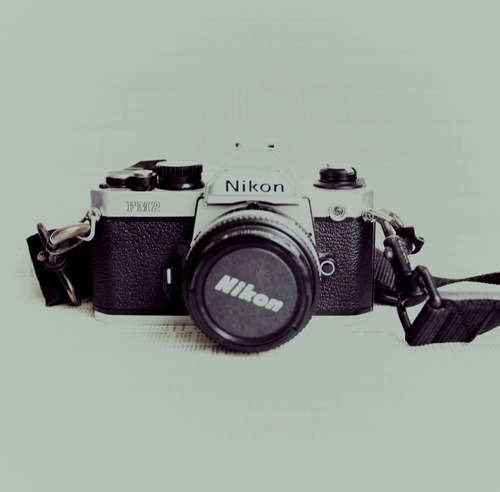
How to Choose a 35mm Film Camera (for beginners)

image
One of the questions I get the most on this blog is related to choosing a very first 35mm film camera. In fact, someone just asked me again the other day…. which is why I’ve decided to put together a mini-guide for choosing a 35mm film camera for anyone who is interested in film photography.

You may be saying to yourself, “Why on earth would I buy a film camera now?” While we may be in the heart of the digital age, there are actually many reasons to shoot film - far beyond the nostalgic appeal and low-fi effects. For a solid list, check out 11 Reasons to Shoot Film. For the purpose of this post, the most appealing aspect of shooting film is that you can purchase incredible high-quality, professional-level cameras at insanely low (and sometimes depressing) prices.

If you’re a newbie to the film world, trying to distinguish between a Nikon FM, Canon AE-1 or Pentax K1000 may seem scary, but in reality they all use the same basic functions. So, without further ado, here are 4 basic things to look for when choosing your very first 35mm film camera:

1. 
Make sure the camera has a fully manual function.


If you have decided to learn film photography, you might as well really go all the way and learn to shoot fully manual for total control. Shooting fully manual means that no automatic settings are used, and you will need to correctly balance your shutter speed, aperture, and ISO to achieve a proper exposure. If you need help in that area, have a look at Exposure 101 in my Beginner’s Guide to Film Photography.  Some cameras will have an “M” on the dial to use the manual function, other cameras may feature an “A” for automatic and then display shutter speeds. Most cameras manufactured before the 1980’s are manual and have few (if any) automatic settings.

I cannot stress the importance of shooting fully manual, even when it comes to digital photography. Learning this process will fine tune your photography skills all around and you will probably notice an improvement in your digital photos as well. After years and years of light metering and Sunny 16-ing, I’ve gotten to a point where I can look at a situation and guestimate the correct exposure pretty accurately. No joke, someone just tested me on an airplane and I gave the exact exposure as his light meter. Acquiring this type of skill is an incredible advantage when shooting in “real world conditions” and the easiest way to do it is to force yourself to shoot manual.

2. 
Choose a common model which will be easy to repair

.
When investing in your first 35mm film camera, try to choose a relatively common make and model that should be easy to maintain and repair. As much as obscure cameras are beautiful pieces sought after by collectors, the upkeep and repair can get quite pricey as most will require a specialist if they break. The following brands are guaranteed safe bets:

  • Nikon
  • Canon
  • Pentax
  • Olympus
  • Minolta
  • Vivitar
  • Leica (rangefinder)

These large, well-known brands produced many models and can be found (and repaired) all over the world. It is also easier to find an instruction manual for more common camera models. Choosing a common camera model also makes it easier to find extra lenses and accessories such as motorized bottoms (imperative for those who shoot fast.)


3. Opt for a built-in light meter.


Learning correct exposure will be difficult at first when learning to shoot film, and you will not have that handy digital display screen to check your work. Opting for a camera with a built in light meter will save you a lot of money on wasted film as well as facilitate the process of learning exposure. Most film cameras manufactured after the 1950’s come with some form of light meter, but it is best to avoid cameras with Selenium light meters when starting out. Selenium light meters are small strips that look similar to a blank solar calculator screen running across the top of the camera, or around the exterior of the lens. Once the selenium light meter dies, it is difficult and expensive to have replaced. Choose a camera which has a battery operated light meter so that when it dies you can easily replace the battery. 


4. Look for models that use a “standard” 35mm system.


This tip relates to the “choosing a common model” tip, but even big brands have manufactured camera anomalies. Occasionally, but not often, cameras were made that differed quite noticeably from the average 35mm camera - for example requiring the photographer to stop down the aperture before being able to set the shutter speed. Another example - my Fed 5 requires cocking the shutter before changing the shutter speed. These types of cameras were not very successful due to their complicated usage, but collectors snap them up so you may stumble upon one unknowingly. A quick internet search will tell you if the camera you are interested in has any strange instructions or complicated features.

*If you’re not purchasing from a store or authorized dealer, be sure to review this list of things to check when purchasing a vintage camera.

Ebay Camera Deals!

https://ebay.to/2EUa2hp