Wednesday, December 11, 2019

The Ultimate Guide to Learning how to use Your first DSLR

New to Photography? Check out our free Ultimate Guide to Photography for Beginners.
If you’ve bought yourself a DSLR (or mirrorless camera) and, after unpacking it from the box, you are intimidated by the number of buttons and dials, and by the thickness of the manual, it can be very tempting to put the manual down, flick it onto ‘Auto’ and start shooting. 
Whilst that is fine for some, it may not be long until you crave the creative control that inspired you to purchase a DSLR in the first place, but where do you begin?
The Ultimate Guide to Learning how to use Your first DSLR
If you consider yourself a beginner who is unsure of how to make the most of your camera, this post is designed for you.  It’s intended to be a brief, a one-stop shop to help you take your camera off auto, and take control of your DSLR.  It isn’t intended to be a replacement for your camera manual, so will not explain every last setting in great depth, but will cover enough of the basics to get you in control of your camera, and give you the key topics to go back to your manual to read.

Steps for Learning How to Use Your DSLR include:

Here’s some steps for learning how to use that new DSLR that we’ll cover in this article.
  1. Master Shooting modes (including priority modes and full manual)
  2. Understand ISO
  3. Learn the ‘exposure triangle’
  4. Master Metering including exposure compensation
  5. Learn About Focussing
  6. Understand file size/types
  7. Learn about White balance
There’s lots to learn if you want to get the most from your DSLR but lets start by digging into each of these topics.
Note to Mirrorless Camera Owners: almost everything in this article is relevant not only to DSLR owners but also mirrorless camera owners too!

1. Master Shooting modes

The best place to start is with shooting modes.  The shooting modes will most likely be found on a dial labelled with ‘auto, Av, Tv, P, M’ and maybe more.  Selecting a shooting mode will determine how your camera behaves when you press the shutter, for example, when ‘auto’ is selected, the camera will determine everything to do with the exposure, including the aperture and shutter speed.  The other modes, ‘Av, Tv, P, M’, are there to give you control:
How to Use a DSLR - Shooting Modes Dial
Don’t worry if your mode dial looks a little different; different manufacturers use different abbreviations for the shooting modes.  Your mode dial may have the letters ‘A, S, P, M’ (instead of Av, Tv, P, M), yet they all function in the same way.  Below, I have given each abbreviation for the given mode.
Aperture Priority (Av or A)
Aperture priority can be thought of as a ‘semi-automatic’ shooting mode.  When this is selected, you as the photographer set the aperture and the camera will automatically select the shutter speed.  So what is aperture and when would you want to control it?
The aperture is the size of the opening in the lens through which light is allowed to pass whenever the shutter is opened – the larger the aperture, the more light passes through.
The aperture is measured in ‘f-stops’ and is usually displayed using an ‘f-number’, e.g. f/2.0, f/2.8, f/4.0, f/5.6, f/8.0 etc, which is a ratio of focal length over diameter of the opening.  Therefore, a larger aperture (a wider opening) has a smaller f-number (e.g. f/2.0) and smaller aperture (a narrower opening) has a larger f-number (e.g. f/22).  Reducing the aperture by one whole f-stop, e.g. f/2.0 to f2/8 or f/5.6 to f/8.0, halves the amount of light entering the camera.
How to Use a DSLR Aperture illustration
Aperture is one of the most important aspects of photography as it directly influences the depth of field – that is, the amount of an image that is in focus.  A large depth of field (achieved by using a small aperture (large f-number)) would mean that a large distance within the scene is in focus, such as the foreground to the background of the landscape below.
Learn How to Use a DSLR: landscape taken at small aperture
An aperture of f/13 was used here to give a large depth of field, ensuring that the whole image, from the foreground grasses to the background mountains. was sharp
Whereas a shallow depth of field (achieved by using a large aperture (small f-number)) would produce an image where only the subject is in sharp focus, but the background is soft and out of focus.  This is often used when shooting portraiture or wildlife, such as the image below, to isolate the subject from the background:
large aperture
A large aperture of f/4.5 was used to capture this water vole, against a soft, out of focus background
So when using aperture priority, you can get complete control over your depth of field, whilst the camera takes care of the rest.
Further Reading: Read more about Aperture Priority Mode.
Shutter Priority (Tv or S)
Similarly to aperture priority, this is another ‘semi-automatic’ shooting mode, though in this instance, you as the photographer set the shutter speed and the camera will take care of the aperture.  The shutter speed, measured in seconds (or more often fractions of a second), is the amount of time the shutter stays open when taking a photograph.  The longer the shutter stays open, the more light passes through to the sensor to be captured.
You would select a short shutter speed if you wanted to freeze a fast moving subject, such as shooting sports, action or wildlife, for example:
fast shutter speed
A very fast shutter speed of 1/4000th sec was used to freeze the motion of this grouse in flight
You would use a long shutter speed if you wanted to blur a moving subject, for example water rushing over a waterfall (slower shutter speeds will require you to put the camera on a tripod to ensure the camera is held steady whilst the shutter is open):
Slow Shutter Speed
To capture the motion of the waves, and render the water with a soft, milky texture, a shutter speed of 6 seconds was used here
So whilst you worry about what shutter speed you need for a given photograph, the camera will determine the appropriate aperture required to give the correct exposure.
Aperture and shutter priority shooting modes may be semi-automatic, meaning that some may deride their use because they’re not fully manual, however they are incredibly useful modes to shoot in that can give you enough creative control to capture scenes as you envisage them.
Further Reading: learn more about Shutter Priority Mode.
Program (P)
Program mode is almost a halfway house between the semi automatic modes of aperture/shutter priority and full manual control.  In program mode, you are able to set either the aperture or shutter speed, and the camera will maintain the correct exposure by adjusting the other one accordingly, i.e. as you change the aperture, the shutter speed will automatically change, and vice versa.  This gives you additional freedom that using either aperture priority or shutter priority cannot give without switching between shooting modes.
Manual (M)
Manual mode is exactly what it sounds like, you are given full control over the exposure determination, setting both the aperture and shutter speed yourself.  There will be an exposure indicator either within the viewfinder or on the screen that will tell you how under/over exposed the image will be, however, you are left to change the shutter speed and aperture yourself to ensure you achieve the correct exposure.
Practically Speaking: as a first step to taking your camera off ‘auto’, aperture priority and shutter priority modes offer two very simple ways to start to understand how the different setting impact your images and are a perfect starting place for learning how to use your camera more creatively.

2. Understand ISO

ISO is a measure of how sensitive the sensor of your camera is to light.  The term originated in film photography, where film of different sensitivities could be used depending on the shooting conditions, and it is no different in digital photography. The ISO sensitivity is represented numerically from ISO 100 (low sensitivity) up to ISO 6400 (high sensitivity) and beyond, and controls the amount of light required by the sensor to achieve a given exposure
At ‘low’ sensitivities, more light is required to achieve a given exposure compared to high sensitivities where less light is required to achieve the same exposure.  To understand this, let’s look at two different situations:
Low ISO numbers
If shooting outside, on a bright sunny day there is a lot of available light that will hit the sensor during an exposure, meaning that the sensor does not need to be very sensitive in order to achieve a correct exposure.  Therefore, you could use a low ISO number, such as ISO 100 or 200.  This will give you images of the highest quality, with very little grain (or noise).
DSLR - Low ISO
Taken at ISO 100, the image does not show signs of noise (even when looking at the 100% crop (right)
High ISO numbers
If shooting in low light conditions, such as inside a dark cathedral or museum for example, there is not much light available for your camera sensor.  A high ISO number, such as ISO 3200, will increase the sensitivity of the sensor, effectively multiplying the small amount of available light to give you a correctly exposed image.  This multiplication effect comes with a side effect of increased noise on the image, which looks like a fine grain, reducing the overall image quality.  The noise will be most pronounced in the darker/shadow regions.
High ISO
This image was taken as the sun was going down, meaning there was not much ambient light. Therefore, this was shot with ISO4000, however you can see very obvious noise in the 100% crop (right)
Practically Speaking: you want to keep the ISO as low as possible, as the lower the ISO, the less noise and the higher the quality of the resulting image.   Outside on a sunny day, select ISO200 and see how it goes.  If it clouds over, maybe select an ISO between 400-800.  If you move indoors, consider an ISO of around 1600 or above (these are approximate starting points).  
Most digital SLRs now have an ‘auto-ISO’ function, where the camera sets the ISO depending upon the amount of light in which you are shooting, keeping it as low as possible.  Auto-ISO is a very useful tool when starting out with your camera, as it is allows you to define an upper limit i.e. where the images become too noisy such as ISO1600 or 3200, and then forget about it until situations where you specifically want to override the automatic setting, for example if taking landscape images using a tripod, you can afford to use the lowest ISO possible. 
Further Reading: Discover more about how to use ISO.

3. Learn the ‘Exposure Triangle’

It’s important to note that aperture, shutter speed and ISO are all part of the ‘exposure triangle’.  They all control either the amount of light entering the camera (aperture, shutter speed) or the amount of light required by the camera (ISO) for a given exposure.
Therefore, they are all linked, and understanding the relationship between them is crucial to being able to take control of your camera.  A change in one of the settings will impact the other two.  For example, considering a theoretical exposure of ISO400, f/8.0, 1/10th second.
If you wanted to reduce the depth of field, and decided to use an aperture of f/4.0, you would be increasing the size of the aperture by two whole f/stops, therefore increasing the amount of light entering the camera by a factor of 4 (i.e. increasing by a factor of 2, twice).  Therefore, to balance the exposure, you could do the following:
  • Situation 1: Reduce the shutter speed by a factor of 4, i.e. to 1/40th second.
  • Situation 2: Reduce the ISO by a factor of 4, i.e. to ISO100
  • Situation 3: A combination of the above, shutter speed by a factor of 2 (to 1/20th second) AND reduce the ISO bv a factor of 2 (to ISO200).
Exposure triangle - DSLR Guide
Aperture, shutter speed and ISO are all facotrs that influence your exposure, and are all linked. It’s just a case of balancing the books!
They all have the net effect of reducing the amount of light by a factor of 4, countering the change in aperture.  It’s just a case of understanding that they are all linked, and so changing one setting, will cause a change in another.
Using a combination of the semi-automatic shooting modes and auto-ISO would mean you won’t necessarily need to think about adjusting your exposure in such a way initially, however understanding the relationship that ISO or aperture has with shutter speed, and knowing the practical implications is a big step in mastering your DSLR .
Further Reading: Read more about the Exposure Triangle.

4. Master Metering

Through out all of the above discussion, I have said that the camera calculates the exposure depending on the amount of available light, but what is it actually doing?
When taking a photograph, using any form of automatic exposure calculation (e.g. aperture priority mode, shutter priority mode, auto-ISO etc) the camera always tries to calculate an ‘average’ exposure.  It will asses the entire scene, both light and dark areas, and determine the exposure so that all of the tones within the entire image average to 18% grey – called the ‘middle’ grey.
This is known as metering, and it is the reason that if you point your camera at a bright white scene, such as after it has snowed, and take a photograph the resulting image will always appear darker than you or I see it.  Similarly, if you point your camera at a really dark scene, such as a low-lit room, and take a photograph the resulting image will always be brighter than you or I see it.
The scene is always being averaged by the camera and most of the time that results in the image appearing to be correctly exposed.  However, you can control what areas of the scene are being assessed by the camera in order to influence the way in which the exposure is metered.
Generally, there are three metering modes that you can choose from:
Average – The camera will assess the tones across the entire image form corner to corner, and expose the scene to 18% grey from that assessment.
Centre-weighted – The camera weights the exposure reading for the area in the centre of the viewfinder that can total up to approximately 80% of the scene, ignoring the extreme corners of the image.
Spot metering – The camera will use a very small area of the scene, typically a small circle in the centre of the viewfinder that totals approximately 5% of the viewfinder area.  It will make the assessment of dark/light tones in this area and expose the entire scene to 18% grey, from that assessment.
Practically speaking: when starting out with your camera, either average or centre weighted metering are a good starting point.  They will both provide a fairly consistent measure of the exposure required and, if you select one mode and stick with it, you will soon begin to understand when a scene will be under exposed (i.e. too dark) or over exposed (i.e. to light) compared to how you see it with your own eyes.
But what can you do if a scene is under/over exposed?  That is where exposure compensation comes in.
Further Reading: A Beginners Guide to Metering Modes

Exposure Compensation

Generally found on a small +/- button near the shutter, this is one of the most useful functions to learn how to use.  It allows you to either increase or decrease the cameras default meter reading to account for the actual brightness of a scene.
evbutton.jpg
If a scene contains primarily bright tones and is being rendered too dark, for example, a bright white snow scene (that will typically be reduced to 18% grey by the default metering system), you can apply positive exposure compensation to let the camera know that the scene should be lighter than middle grey.
exposure compensation
A spring lamb leaping in front of a snowy hillside. Left: Straight out of camera, with the snow caught as grey. Right: With +2 stops exposure compensation (added in post processing). The bright snowy background caused my camera to underexpose this scene by nearly two stops, which could have been corrected by exposure compensation in camera.
Conversely, if a scene contains primarily dark tones and is being rendered too light, for example, a dark night scene (that will typically be increased to 18% grey by the default metering system), you can apply negative exposure compensation to let the camera know that the scene should be darker than middle grey.
Further Reading: How to Use Exposure Compensation to Get Better Exposed Photos.

5. Learn About Focussing

Regardless of what shooting mode you are using, or what ISO you define, the chances are there will be a subject of your image that you want to have in focus.  If that focus is not achieved, the image will not be what you wanted.
Autofocus modes
DSLRs come with a range of autofocus modes, however, for simplicity, the two that are most important to understand are AF-S and AF-C
AF-S – autofocus-single.  This is best used when taking photos of stationary subjects such as portraits of people, landscapes, buildings etc.  When you half-press the shutter, the focus will be acquired and locked on that point for as long as you hold the button down.  If you want to change to focus, you need to release the button, recompose and then re-half-press.
AF-C – autofocus-continuous.  This is best used when taking photos of action or moving subjects such as sports and wildlife.  When you half-press the shutter, focus will be acquired and locked on to a given subject.  When that subject moves, the focus will adjust with it, refocusing all of the time until the photograph is taken.
(These modes are not to be confused with the AF/MF switches on the lens, where AF stands for autofocus and MF stands for manual focus.  That switch is an override for if you want to manually focus your lens.  If you want to make use of the autofocus modes discussed above, ensure the lens is set to AF).
Further Reading: Understanding Focus Modes
Focus Points
Both of those focus modes rely on what are known as focus points.  When you look through the viewfinder, you should see a number of squares/dots overlaid across the screen.  When you half-press the shutter, you should see one of these squares be highlighted in red.  That is the active focus point, and it is that position within the frame that the camera is focussing on.  A viewfinder with 9 focus points is shown below:
focus-points
New DSLRs can come with over 50 focus points and the temptation is to leave it on fully automatic focus point selection, with the thinking that the camera will be able to select the correct focus point.  However, only you know what you want to focus on, and there is no better way than ensuring the correct subject is in focus than by using one focus point, and placing that focus point over the subject.
If you select a single focus point, you should be able to change which point is active fairly easily either by using directional buttons one of the dials.  If you select a focus point that is on your desired subject, you will ensure that the camera focuses where you want it to.  After a small amount of practice, you will soon get into the habit of being able to change the focus point without taking the camera away form your eye.
Practically speaking:  Initially, set your camera to use a single focus point (your camera manual should tell you how to do this).  This way, you will be able to choose what you are focussing on, ensuring that the subject you want to capture is in focus.  Once you are familiar with the basic focussing modes and focus point selection, you can then explore the more advanced modes that your camera may offer.

6. Understand File Size and Types

You will have the option to be able to change the size of the images that your camera records, and in which file type.  You want to set the file size to the largest possible (whether it is ‘large’ or ‘fine’ or ‘super fine’) to ensure that you are making the most of the mega pixels that you have just invested in.
You will also have the option of choosing whether to record the images as ‘raw’ or ‘jpeg’ file type.  A raw file is uncompressed, and so contains a lot of image data that allows for a lot of flexibility during post-processing (i.e. on your computer) but also comes with additional complications such as the need to ‘process’ every file using dedicated editing software and a larger file size.  A jpeg is a compressed file type, that is automatically processed by the camera.  They will be ‘print ready’ straight out of the camera, and are much smaller files, meaning you can fit more images per memory card.
Practically speaking: When starting out with your camera, using jpeg is the most straight forward.  It will enable you to get the best results whilst you learn the basics or your camera before complicating matters with post-processing of raw files.  

7. Learn about White balance

If shooting in jpeg, as recommended above, you will need to make sure you set your white balance before taking a picture.  The white balance can significantly impact colour tone of your photographs.  You may have noticed that sometimes your images have a blueish tone to them or, in others, everything looks very orange.  This is to do with the white balance and, whilst you can make some adjustments to the image on your computer, it is much simpler if you get it right up-front.
Different light sources (such as the sun, light bulbs, fluorescent strips etc) emit light of different wavelengths, and therefore colours, which can be described by what is known as colour temperature.  Light from a candle, or from the sun during sunrise/sunset, is very warm, and contains a lot of red/orange wavelengths; whereas light from a fluorescent strip is much cooler, containing a lot of blue wavelengths.  This coloured light is reflected off of surfaces, but our brain in clever enough to recognise this and automatically counter the effect, meaning that we still see a white surface as a white surface.  However, your camera is not that intelligent, and unless told otherwise, will record the orange or blue tones giving the colour cast to your images.
white balance
Left: The image captured using auto white balance has a heavy yellow tone from the artificial street lighting. Right: the same image, corrected for a ‘Tungsten’ white balance, giving the cooler tones on the stone work, and the bluer sky
As the colour temperature of different light sources is well known, there are a number of presets built into your camera that help to overcome the different colours of light in different situations – cooling the warm light, and warming the cool light – all in the cause of trying to capture the colours of the scene accurately.  The ‘auto’ feature (auto WB or AWB) will attempt to predict the colour of the light by detecting the predominant colour of the scene and then countering it, however it may not necessarily make a correct decision, leaving you with inaccurate colours.  Therefore it is best to set the colour balance before you take your image and just to make sure (note: the above image was a raw file giving me a lot of latitude for white balance correction.  Jpeg files are not as susceptible to white balance adjustments, meaning the white balance correction needs to be made before the image is taken):
Daylight – To be used on clear sunny days.  Bright sunlight, on a clear day is as near to neutral light that we generally get
Cloudy – To be used when shooting on a cloudy day.  Adds warm tones to daylight images.
Shade – To be used if shooting in the shade, as shaded areas generally produce cooler, bluer images, so need warming up.
Tungsten – Used for shooting indoors, under incandescent light bulbs, or under street lights, to cool down the yellow tones.
Fluorescent – Compensates for the green/blue tones of fluorescent light strips when shooting indoors.
Flash – the flash will add a cool blue cast to the image, so used to add some warmth.
Practically speaking: avoid auto white balance and set the white balance manually.  Generally, you will be able to look up at the sky and see what kind of day it is, and determine the colour balance required pretty easily.  If you move indoors, just check the lighting that you are shooting under, and again select the appropriate white balance.  It will soon become second nature to set it as you take your camera out of the bag.
Further Reading: Learn more about White Balance

So that is an overview of the settings you will encounter when you want to take the leap and take your camera off ‘Auto’.  You don’t necessarily need to consider them all straight away, but  exploring and understanding the effect of each setting will soon have you in complete control of your camera.  The biggest step, that will give you the most noticeable difference in the feeling of control and direct influence on creative results, will be to start using the ‘aperture priority’ or ‘shutter priority’ shooting modes and once you are familiar with those, you can start thinking about exploring further.  Soon enough, you will no longer think of your camera as a mysterious black box, but understand how to achieve the photographic results that you bought it for in the first place.

Share this article.
Advertisement:
 
Stop taking scenery snaps and start creating breathtaking works of landscape photography art that people will fall in love with.…
 
https://resources.digital-photography-school.com/ref/937/


6 Tips for Getting Consistent Results Shooting in Low Light

It’s often challenging for photographers to get consistent results in low light. Problems encountered may include camera shake, out of focus photos, and noisy images. There are three main reasons that these things happen.
How to Get Consistent Results Shooting in Low Light
  1. You may not be using shutter speeds fast enough to hand-hold your camera without getting camera shake.
  2. Your camera may struggle to focus properly in low light.
  3. Your photos might be noisy because of high ISO settings, underexposure, or a combination of both.
With this in mind, let’s look at some steps you can take to get consistent results when shooting in low light conditions.

1. Take your camera off full automatic

If you’re using your camera in a fully automatic exposure mode, such as portrait or night scene, it’s time to stop. You have little or no control over your camera’s settings by using these modes. That stops you from getting the best results in low light.
The only modes I recommend that you ever use are Aperture Priority, Shutter Priority, Program Auto or Manual (the last one only if you really know what you’re doing).
How to Get Consistent Results Shooting in Low Light
For best results in low light avoid your camera’s fully automatic exposure modes!

2. Avoid using the built-in flash

Fully automatic exposure modes may also engage the camera’s built-in flash in low light. The problem is that built-in flash doesn’t provide high-quality light.
Don’t get me wrong. There will always be circumstances where it’s more important to get the photo than to worry about its aesthetic qualities. If you’re photographing a friend or loved one in the dark, it’s better to use the flash and capture the moment, however ugly the light, than not capture it all. But if you want to create beautiful photos, then you will want to either learn to use off-camera flash or make the most of the available light.
I made this photo at dusk using an off-camera flash with a softbox. There’s no way you can replicate this quality of the light in this image without the right equipment.
How to Get Consistent Results Shooting in Low Light

3. Use Image Stabilization

Image Stabilization lets you take sharp photos using longer shutter speeds than you could with a non-stabilized lens. This is useful to know if your photos tend to suffer from camera shake in low light.
There are two types of Image Stabilization. Canon and Nikon build it into their lenses. That means the technology only works if you have the right lens. As most kit lenses are image stabilized it is likely you own at least one image such lens you can use in low light.
Other manufacturers, like Olympus and Panasonic, place the image stabilization mechanism in the camera body. The advantage of this system is that it works with any lens. If you’re not sure how image stabilization works with your camera then check your manual for the details.
Most image stabilization systems give you a four-stop advantage. Let’s look at what that means in practice.
Let’s say you’re using an 18-55mm kit lens on an APS-C camera. Ideally, without image stabilization, you need a shutter speed of around 1/125 second to achieve a sharp image with a hand-held camera (some photographers may argue you could use a slower shutter speed). An image stabilization system that gives you a 4 stop advantage means you can drop the shutter speed to 1/8th of a second and still get a sharp image. That’s very helpful in low light.
For example, I made this photo in a dimly lit museum with a non-stabilized 18-55mm lens at 1/160 second, f5.6, ISO 1600. If the lens was image stabilized I would have had the option of using ISO 100 and 1/10th of a second, giving me a much cleaner image with less noise.
How to Get Consistent Results Shooting in Low Light

4. Don’t be afraid of high ISO

Most modern digital cameras give you excellent performance at high ISOs. It’s quite possible your camera is capable of giving great results at ISO 3200, 6400, or even higher. You won’t know until you try. This is another good reason for taking your camera off fully automatic. Now you can decide what ISO to use, rather than leaving it up to your camera.
The best thing to do is test your camera at all its high ISO levels to find your noise tolerance level. For example, you might find that ISO 6400 is the highest setting you’re comfortable using. Once you’ve decided this, you know the ISO range you can work with for your camera.
This photo is taken at ISO 6400, the highest ISO I’m comfortable using on my camera. I had to use the high ISO setting because the photo was taken indoors in low light.
Low light

5. Use a prime lens

If you don’t have one already then it’s worth considering buying a prime lens. For example, most 18-55mm kit lenses have a maximum aperture of f/5.6 at the 55mm end. But on a 50mm prime lens that maximum aperture could be f/1.8 (or even wider). That’s a difference of over three stops (eight times more light), which means that you can take photos in much lower light conditions.
The only caveat is that there is much less depth of field at wide apertures. But you can use this to your advantage by exploring the use of bokeh in your low light photos. I made this photo of a Chinese lantern, taken at night, using an 85mm lens set to f/2.
Low light

6. Use a tripod

A tripod comes in really handy for taking photos of landscapes and cityscapes in low light. All the methods listed so far, such as using a high ISO, Image Stabilization, prime lenses and so on, have disadvantages. Noise increases at high ISOs, wide apertures don’t give much depth of field, and even Image Stabilization has its limits.
The benefit of a tripod is that you can use your camera at its lowest ISO setting (giving good image quality), and a small aperture such as f/8 or f/11 (allowing for a greater depth of field).
Shutter speeds will slow right down at these settings. Again, use this to your advantage. Slow shutter speeds are great for landscape photography because moving parts of the landscape, like water, become a silky blur. With cityscapes, the light from passing traffic becomes long streaks of light.
A tripod also opens up techniques like long exposure photography (photos taken with shutter speeds between a minute and eight minutes long) and painting with light (using flash or torchlight to illuminate the scene during a long exposure).
Low light
I used a tripod to create this landscape photo, which needed an exposure of 30 seconds at f/8 and 
ISO 100. The water blurred during the exposure, which helps add mood and atmosphere to the photo.

The key to getting consistent results shooting in low light is understanding the limitations of your equipment and taking control of your camera to make it do what you need, rather than what it wants. With a bit of work and patience, you can learn to take great photos in low light. The benefit is that low light conditions are often beautiful. Most places and landscapes look beautiful at dusk. Shooting at these times will help you take moody photos.
Do you have any ideas for shooting in low light? Let us know in the comments!

My Portrait Gear Essentials

portrait-gear-essentials-02
What’s the best equipment for taking amazing portraits?
portrait-gear-essentials-12
I’m often asked what the best equipment is for taking great portraits. Many people assume that a great camera will take great portraits. That is simply not true. A quick scan through Flickr, Instagram or any photo sharing site will reveal thousands of beautiful portraits, some taken on mobile phone cameras, and yet others using very basic entry level equipment.
A great photographer can take great photos using any kind of camera. A great camera in unskilled hands will still deliver mediocre photos. Before you invest the big bucks in high end gear take the time to learn the craft first.
I started out my professional career with a borrowed camera and very cheap lens. I worked this way for a few years and then invested in a high end second hand camera and lens. If I were starting out again now I would do exactly the same thing. My advice on buying a camera is always buy within your means and upgrade as your skills start to improve.
Most girls love buying shoes and handbags. I admit I’m a self-confessed gear-a-holic!
It’s taken me 25 years to accumulate this gear. My gear is subjected to punishing workouts, with my average shoot being approximately 2000-3000 images. I need gear that is built to last and won’t curl up and cry for its mama when I push it too far.

My portrait gear essentials – what’s in my bag

Cameras

  • Canon 1Ds Mark III – this is a pro-level camera, so it’s more expensive and a lot heavier but it’s designed to survive heavy usage. I would say I use this camera for 80% of my shooting.
  • Canon 5D Mark II – I’ll favour this camera body if I know I have to shoot with a high ISO (in very low light or on a night shoot). At 400-1600 ISO this camera is amazing.

Lenses

I like to work with a focal length between 70mm and 200mm. With a long lens, facial features are slightly compressed, which is really flattering for portraits.
The workhorse
Canon EF 70-200mm f/2.8L IS lens – this lens is my workhorse and I use it for 70% of my shoots. It’s fast, sharp and consistently gives amazing results.
I like working with zoom lenses because they give me the luxury of zooming in to get tight head shots and mid-shots, or zooming out to get full length shots. All without moving my camera. As a result, I can stay out of my model’s personal space, which can be intimidating or confronting, and keep the momentum of the shoot flowing.
The traveller
Canon EF 24-105mm f/4L IS lens – this is the lens I use for events, lifestyle and travel shoots. It’s light, compact and my go to lens when travelling.
Makes my heart skip a beat
Canon EF 85mm f/1.2L lens – it’s expensive, heavy, and slow to focus but I quickly forget all of this when I see the gorgeous results. I love using this lens for head shots, beauty, portraits, and events.
This lens will give amazing results in very low light conditions and the shallow depth of field will eliminate any background clutter giving me the luxury to use it lens in any location.

Tripods

portrait-gear-essentials-11
Most of my portraits are shot using tripods. I like to set up my shot, position my model and then focus on their expression. Keeping my camera fixed in one position allows me to do this and really suits my shooting style.
Having my camera on a tripod also allows me to focus 100% of my attention on my model and frees me up to gesture with my hands, or step away from the camera without breaking the shot.

I have four tripods:

portrait-gear-essentials-07

Remote flash triggers

PocketWizards
I have six PocketWizard remote flash triggers because I’ll often have three different sets running. I love the PocketWizards because they are reliable and rarely misfire.

Light meter

This model isn't available any more, try one in the Sekonic line
I believe the light meter is an essential tool in good portrait photography and would never leave home without one. When you use a light meter you know you have most accurate readings.
Minolta IV (not available any more) – I’ve had this light meter for over 23 years now and I’ve grown rather fond of it. As a basic meter it’s excellent, reading ambient light or flash, and it’s perfect for most lighting conditions.

Lighting

Speedlights
portrait-gear-essentials-01I use a speedlight off camera for about 20%-30% of my photo shoots. Like any piece of gear, they have their pros and cons, but they can light you out of some tight spots (quite literally).
I use Canon 580EXii speedlights as my preferred lighting when I am travelling or need to work quickly or in tight locations. I will also use a Photoflex medium size softbox that folds flat, and is perfect for lighting one person and couples.
portrait-gear-essentials-09
Portrait of Vito shot on location at my Sicily Photography workshop

My complete travel location portrait photography kit:

portrait-gear-essentials-04

Studio lighting

Elinchrom Lights
60% of my shoots require studio lighting, so I need heavy duty monolights with fast recycle times, and a high quality of light. When I’m working on location, I still need a great quality of light and I give my Elinchrom Rangers a work out in those situations.
portrait-gear-essentials-06
Behind the scenes for Piperlane.com
Large Softboxes
portrait-gear-essentials-08If I could only pick one light modifier to take to a deserted island, it would have to be a softbox. Small, medium or large this little puppy is my go to light source for 80% of my shoots.
Why? The quality of light is soft, flattering and malleable. Changing the angle and proximity of the softbox to the subject, easily changes the quality and direction of light.
A softbox, I feel, recreates the effect of soft daylight through a window.
I think what I like most about softboxes is that they are subtle. Highlights gently merge to shadows.
If it’s a studio shoot I love using my Chimira Medium softbox, with white reflective interior. The white interior creates a softer light and this particular softbox has an extra layer of diffusion on the inside, adding even more softness to the light.
portrait-gear-essentials-05Rotalux Deep Octabox
Rotalux deep octabox would be the result if a softbox married a beauty dish and made babies. This, as far as I’m concerned, is a match made in heaven for lighting single person portraits.

Laptop

MacBookPro 15”
portrait-gear-essentials-10
Shooting tethered to a computer has made my life as a photographer so much easier, because I can use my computer as a teaching tool. ?I can show my model a series of great images, with slightly different poses. We can talk about how the poses are different and what I want them to do in the next series. They can see what I mean and it makes more sense, straight away.

Share this article.

Tuesday, December 10, 2019

10 Great Pieces of Camera Equipment for the New Year


The equipment you use in photography can do much for the types of photos you create. The purchase of an additional lens can unlock new areas of photography for you that were otherwise not an option. There are lots of pieces of equipment you can buy for photography beyond the camera body and lens. In this article, you will learn how to accessorize your equipment. Interested in that? Read on and discover ten great pieces of camera equipment you could buy to boost your creativity!

LED light stick

There are many items you can use for light painting. A simple flashlight, your smartphone, or a glow stick, to name just a few.
A few years ago a new product entered the market though, and it’s changed the game. There are two companies you can look towards if you want to get hold of an LED light stick yourself. The choice of the product then is the pixelstick and the magilight.
These are both LED light sticks, and each product has its good and bad points. The bottom line is they both allow you to program light patterns that then transmit through a series of LED lights. They allow you absolute control of the light painting, and therefore give you maximum creativity!
Image: An LED light stick can be a lot of fun to use.
An LED light stick can be a lot of fun to use.

A glass ball for camera equipment?

Yes, that’s right! Those who have read articles written by me for digital photography school will know I often use a crystal ball for my photography. The product has been rebranded in recent years, and in photography circles, it’s now known as the lensball.
This is a great piece of camera equipment, that’s relatively inexpensive. How many camera lenses have you bought for less than fifty dollars? That’s what this product represents – it’s like an external lens optic that you can place almost anywhere within your scene.
Are you looking to buy a lensball? You can do that from lens ball, or refractique. These are rival companies that offer a similar package, they’re more expensive than some others on amazon but come with better quality glass and other items that make the package better-suited for photographers.
great-pieces-of-camera-equipment-lensball
A glass ball works just like an external lens, or put simply, a lensball.

Tripod

This item might just be the most creative item you’ll ever buy for your photography.
Other items you can buy will give you an extra option in your photography, a tripod, on the other hand, opens up a host of new ways for you to photograph.
Take a look at some of the photography techniques that need, or benefit from, having a tripod. Now it’s worth investing in a good tripod, one that’s sturdy enough that it doesn’t move during the exposure. If you’re traveling and want something smaller and less heavy, then the Gorillapod or a carbon fiber, lightweight tripod from K&F Concepts might be for you. See a reviews on the Gorillapod here and the K&F Concepts tripod here).
  • Light painting – The use of products such as an LED light stick for creating interesting light patterns in your photo requires a tripod because it’s a long exposure.
  • Long exposure – Lots of creative landscape photos use long exposure. This could be to flatten seawater, create silky white water at a waterfall, or to produce traffic light trails in a cityscape image.
  • Digital blending – While it’s possible to take a set of bracketed images with your camera handheld, it’s much better to use a tripod. Digital blending works best with a set of bracketed images of different exposure values.
  • Cloning – Set up your tripod and clone yourself or an inanimate object across the scene your camera is recording.
  • Infra-red – Unless you convert your camera to infra-red, you’ll need to use a filter for this form of photography. That will mean a long exposure.
  • Self-portraits – The next step up from the handheld selfie. Get your camera set up on a tripod, and properly place yourself within the scene!
Image: Use a tripod and take multiple photos to clone yourself!
Use a tripod and take multiple photos to clone yourself!

Filter set

Now, of course, this is more than one item! However, they’re so small, that for this article, I’ll treat them as one piece of camera equipment.
It could be said that in the days of post-processing the need for a bag of filters is not there anymore. You want to get your image as correct in-camera as you can, though, so having a handy set of filters to facilitate this is always good.
These are some of the filters you should consider.
  • Circular polarizing filter – A must for any outdoor photographer. Use a circular polarizing filter to increase the vibrancy of your scene, and to intensify or reduce reflections.
  • Graduated neutral density filter – Great for landscape photography, where you want to balance light in the foreground against light in the sky.
  • Neutral density filter – The weaker ND filters are often used with strobes to allow the use of higher apertures, while still keeping within the flash’s sync speed for shutter speed. The stronger ND filters allow you to practice long exposure photography during the day. This one by K&F Concepts is an adjustable 2-32 ND filer in one.
  • Infra-red filter – A fun niche area of landscape photography is infra-red. Using a filter allows you to take this type of photo without adapting your camera.
  • Colored filters – These can be used to add color to your sunsets, produce sepia photos, or to enhance your black and white photos.
  • UV filtersUV filters are essentially clear glass that absorbs the ultraviolet (UV) rays. While they can reduce the effect of haze, they’re mainly lens protection.
There are some filter sets available such as those by NISI.

Drone

Image: The bird’s eye view provided by a drone is a great angle.
The bird’s eye view provided by a drone is a great angle.
A drone is the ultimate new toy for any photographer!
The sky literally is the limit! The bird’s eye perspective you’ll be able to achieve will be unique.
Take care to learn how to fly these before attempting the more ambitious photos. This costs a lot of money if you lose it through the battery running out or losing its signal.
You’ll also find an increasing number of countries tightening up the certificates you need to fly them. In addition to this, you need to know where the no-fly zones are. These are typically around airports, but other sensitive locations can also restrict drone flights.
Which is the best drone out there? It’s really hard to look past the DJI Mavic drones; they’re very portable, which is a huge plus. Read some reviews on DJI’s drones here.

Reflector disc

Another small and inexpensive item that can add to your photography is a reflector disc.
You can use this to reflect sunlight onto your subject, or in conjunction with a strobe set up. These reflectors fold up into a small space in your bag, but then open up into a larger disc for maximum reflective effect.
They come in different sizes, and you can get rectangular or circular shaped discs. In addition to that, you can get silver, gold or white as a reflective surface that will make your subject warmer or cooler from the reflected light.
great-pieces-of-camera-equipment-lastolite-halo-reflector

Rogue flashbender

There are quite a number of lighting modifiers you can use with a flash, the Rogue Flashbender Kit makes the list here for its versatility compared with other products.
The concept is fairly simple.
You attach the flashbender to your flash, and then use the white surface to bounce light onto your subject. The flashbender panel itself can be manipulated into various shapes, giving you the following options.
  • Bounce the light – The primary use of the flashbender is to aim the flash upwards, so you can bounce light off its white surface. This softens the light, giving you nicer light on your subject.
  • A softbox – Through buying an additional translucent panel that can be attached to the flashbender, you can soften the light even more.
  • A snoot – Shape the flashbender into a cylinder and wrap it around your flash to convert it into a snoot, now that’s versatility.
The full kit can give you even more options, such as using color gels to alter the color-tone of light.
great-pieces-of-camera-equipment-rogue-flashbender-kit

Smartphone apps

While not physical pieces of gear, they’re just as important for the modern photographer. The information they can give you on-the-go is vital. There are many apps out there. Some are specifically about photography, while others are very helpful to photographers like weather apps.
  • Photographer’s ephemeris – Knowing where the sun is in relation to your main subject is very important. Get this planned ahead with the Photographer’s Ephemeris.
  • Snapseed – A nice app for editing your photos on the go.
  • Photoshop express – Everyone knows Photoshop, and with this app, you can edit your photos on a smartphone or tablet.
  • Windy – This is the best app out there for knowing weather conditions on the ground, and ahead of time.
  • Photopills – Like the ephemeris, Photopills gives you all the information you need to know on the celestial bodies in the sky. This also comes with information about the Milkyway, making it essential for astrophotography.
  • Camera+ 2 – The leading app for using your phone as a camera.

Lightbox

great-pieces-of-camera-equipment-lightbox
A lightbox is essential for any still life photography.
You’ll need some form of lighting to get the best results, with off-camera flash working best.
This piece of camera equipment will allow you to get the best product photos. You can also do some food photography with it. The aim of this is to get even light throughout your photo, with no strong shadows. It does this by bouncing light around the white surfaces that surround the box.
Image: Product photography with a lightbox is better.
Product photography with a lightbox is better.

Business cards

Having a set of business cards that you can use to build up your contacts is just as important as any other gear you might have as a photographer.
There is nothing like those face-to-face meetings with people to gain potential business, whether that’s being hired or selling prints. These can be inexpensive, or you can go for the more designer business cards.
  • Moo – These are the best quality cards you can get. You can get your photos printed on the back, and each one can be a different photo. That means when someone takes your card, they’ll also be taking a look at a portfolio of your work!
  • Print shop – A cheaper option is to head to your local print shop. A lot of these will create a design for you, and may even print one of your photos on the back of the card.
great-pieces-of-camera-equipment
Business cards made by Moo are of top quality.

Which camera equipment is for you?

There are many items you can buy for your photography.
Which item is for you?
Perhaps you’ll focus more on buying the right lens for your photography style. However, there are other items you can buy that will give your photography a creative boost.
Have you ever tried any of the items on this list, or are you tempted to buy one? As always at digital photography school, we love to see your comments in the comments section, together with any images you have.

Share this article.

Monday, December 9, 2019

5 Tips for Better Winter Landscape Photography

Born and raised in Norway, my opinion might be slightly biased but winter is my favorite season for photography.  Sure, it’s a cold and harsh season but there are so many opportunities to capture beautiful winter landscape images both during the day and night.
I haven’t always been a fan of winter photography, though. In fact, it took me several years after purchasing my first camera before I brought it with me on skiing and hiking trips. Needless to say, it didn’t take many trips before I was hooked and began looking forward to next winter. I quickly realized that photographing during winter is in many ways different than any other season.
There are several new challenges you need to handle and, quite often, everything is white. How do you handle that? Here are five tips to capture better winter landscape images.
5 Tips for Better Winter Landscape Photography

1 – Look for Color Contrast

After a few days of heavy snowfall, the landscape here in Norway is completely white. White trees, white lakes, white mountains and normally a white sky. When everything is white, it’s quite challenging to find a focal element as nothing really stands out.
During days like this, you should be searching for elements of color that stand out in the otherwise white landscape. Here’s an example of a house captured the morning after a heavy snowfall.
5 Tips for Better Winter Landscape Photography
The red cabin is what makes this picture interesting. Without it, the scene lacks a focal element and the viewer’s eyes have no place to rest.
I find red to be a particularly pleasing color in situations like this but search for any dominant color. Perhaps there’s an autumn leaf laying on top of a thin layer of snow, or maybe it’s a few skiers wearing red jackets. Just find a dominant color in the otherwise white landscape and use that as your focal element.

2 – Bright is Better than Dark

When you’re not able to find a colorful focal element that stands out in the frame, overexpose your image. If it’s snowing and there’s no contrast in the sky, winter images can often benefit from being a stop or two brighter. Just avoid clipping the highlights.
5 Tips for Better Winter Landscape Photography
This isn’t something I always do but whenever it’s a whiteout I tend to lean that direction. The slightly overexposed image enhances the whiteout and helps convey just how cold you were when taking the picture, yet it still shows a sense of calmness.

3 – Choose a Cold White Balance

You can either choose White Balance in camera or in post-processing if you’re photographing Raw, a cool color balance is often the most suitable for winter scenes.
Unless it’s a colorful sunset, there’s no reason to use a warm White Balance. Snow is white and the shadows are cool. Using a cold White Balance will help enhance the winter mood while keeping the image more realistic.
5 Tips for Better Winter Landscape Photography

4 – Photograph During Bluehour

Winter is a season with lots of opportunities throughout the entire day; even a sunny winter day is worth taking your camera out for. However, during the last years, I’ve begun to appreciate the blue hour more and more.
The moments before the sun rises or after it sets creates a magical, soft light in the winter landscape, especially near the mountains. This is a time where you should be out with your camera. Even if it’s freezing cold and you’d rather stay at home underneath a blanket, you’re doing yourself a favor by going out with the camera at this time of day.
5 Tips for Better Winter Landscape Photography
If I was only able to choose one time of the day to go photographing during winter it would be the blue hour (well, night-time and aurora chasing might be preferred…)

5 – Bring Extra Batteries and Keep Them Warm!

The last tip is perhaps the most important when it comes to photographing cold climates in general – bring extra batteries. Batteries drain much quicker in winter and if you’re like me and use Live View for most shots, you need to bring at least a few extra batteries – just in case.
I tend to keep at least one spare battery in an inner pocket of my jacket to keep it from draining or failing in the cold temperature. I’ve also found that doing so will result in the battery lasting longer when you do start using it.
5 Tips for Better Winter Landscape Photography
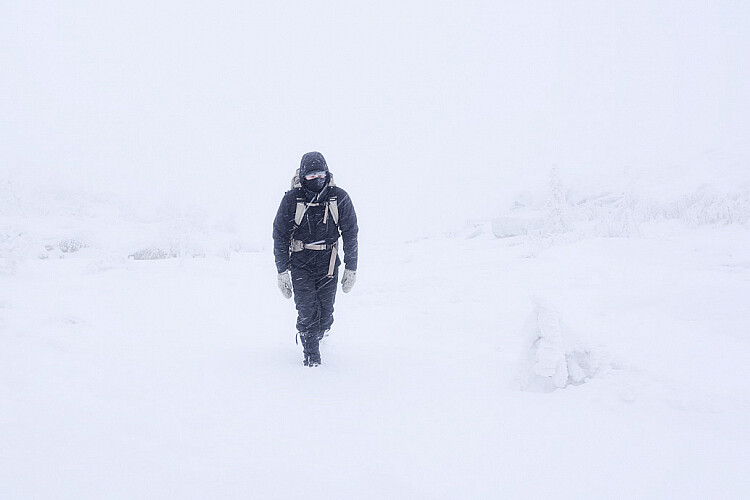
A self-portrait I took on a hike in rough conditions last winter
Lastly, related to keeping the batteries warm, you need to stay warm as well. Always be prepared and rather bring a layer too many than too few. You always want to have the opportunity to dress down, especially if you’re going on a hike.

Over to you

Do you get winter weather where you live? Get out and take some winter landscape shots and share them in the comments below. We’d love to see them.

Share this article.